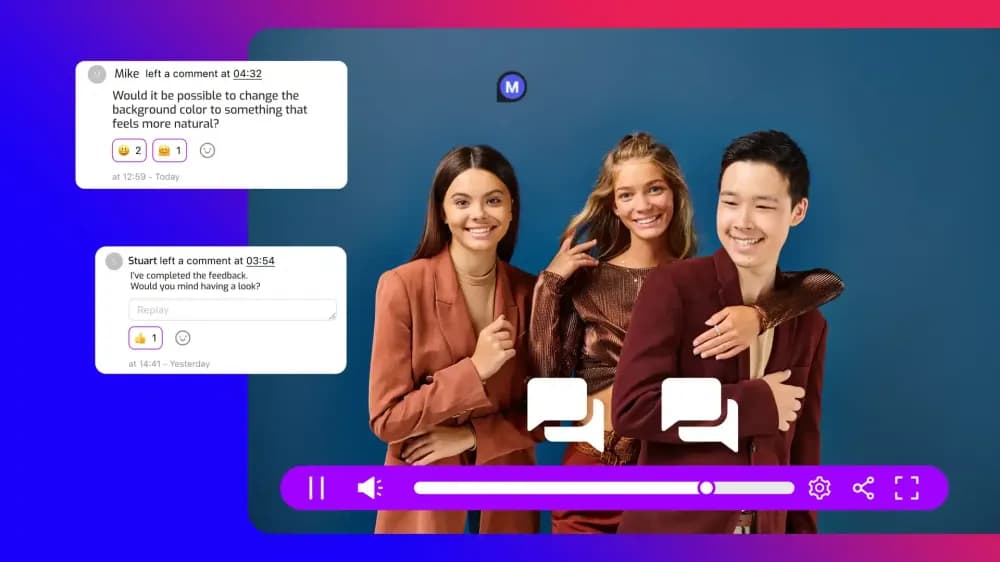
Cinema8 gives agencies a single workflow for reviewing client videos, collecting timestamped feedback, finalising projects, and controlling delivery. Teams can preview videos before publishing, share content with restricted access, and publish through links or embeds. This guide covers how agencies can move client work from internal review to final delivery in Cinema8.
What does the client video review workflow look like in Cinema8?
The client video review workflow in Cinema8's video hosting platform can move through four stages: preparation, feedback, approval, and delivery. Each stage moves the project closer to a finished client asset while keeping review activity connected to the video.
Agencies can prepare and preview the project before client review, then collect feedback linked to specific moments in the video. After approval, the finished project can be published with the appropriate access and delivery settings.
Keeping these stages within the same video environment gives creative and account teams a consistent project to work from. It also creates a clearer route from the first internal checks to the version that reaches the client’s audience.
How can agencies review a client video before sharing it?
Client review should start with an internal quality check. Cinema8 includes Preview Mode in Creative Studio, allowing agency teams to experience a project before it is published.
Previewing is especially useful for interactive projects because teams can test the complete viewer experience before client review. Hotspots, forms, branching paths, and other interactive elements can all be checked at this stage.
Agencies can also review subtitles, chapters, design elements, and playback behaviour before sharing the project. The goal is to send the client a project that has already passed the agency's own creative and functional checks.
A defined internal review stage can also reduce avoidable client comments. Feedback can then focus on messaging, creative decisions, brand requirements, and final approval.
How can clients leave feedback directly on videos in Cinema8?
Cinema8 supports in-video collaboration with timestamped comments. Clients can attach feedback to the relevant moment, helping agency teams identify exactly which scene, edit, or interaction the comment concerns.
This is particularly useful when a project goes through several rounds of detailed creative feedback. Editors and account teams can see what the client is referring to without relying on separate notes or descriptions.
Timestamped comments also give agency teams a shared record of feedback within the video review process. This can make it easier to work through requested changes and keep client comments connected to the relevant content.
How should agencies manage client approval before publishing?
Agencies should define who can give final approval and what needs to be checked before a client video is published. This can include creative, branding, interactive elements, and requested changes. Setting these expectations early gives account teams a clear point at which feedback becomes final.
Once feedback has been resolved, the agency can use Preview Mode to check the completed project and confirm that changes have been applied correctly. Cinema8 also allows published projects to be edited, so agencies should maintain the agreed approval process when making later changes to live client content.
How can agencies control access when sharing client videos?
Not all client videos should be publicly accessible during review or delivery. Cinema8 provides privacy settings that let agencies choose how a video can be accessed and where it can appear.
Videos can be set to public or unlisted access, while additional controls include password protection and domain restrictions. Personalised links can also be configured with options such as expiration time, viewer identity, and maximum playback duration.
These controls let agencies match access to the purpose of each video. A review link may need limited access, while a campaign video may need playback restricted to the client’s approved website. Agencies should test the selected settings before sharing the video to confirm that the intended audience can access it.
How can agencies deliver an approved client video in Cinema8?
Once a client has approved a project, Cinema8 provides several ways to deliver the published video. Agencies can generate an embed code, share a link, or use personalised links where individual tracking or time-limited access is required.
Embedding is useful when the final video belongs within a client website, landing page, portal, or campaign environment. Domain restrictions can limit playback to approved websites when that control is required. Direct sharing can suit deliverables, private client communications, or projects that do not need a permanent page.
The delivery method should be agreed before launch because it can affect access settings, client implementation, and testing. Agencies can then prepare the approved video for the environment where viewers will see it.
How can agencies check whether clients viewed delivered videos?
After a video has been delivered, Cinema8's video analytics can show how viewers interact with the content. Available reporting includes viewing and engagement data, while interactive projects can provide information about viewer actions. Personalised links can also associate access with a specific viewer identity when configured for that purpose.
For agencies, these insights can help confirm whether a client has reviewed a deliverable or show how audiences engage with a live campaign. The relevant metrics will depend on the purpose of the video.
Analytics can also support client reporting after launch. Agencies can connect delivery with evidence about viewing behaviour without moving the video into a separate reporting workflow.
How can agencies simplify client video delivery with Cinema8?
A strong client video review workflow gives every video a clear route from internal checks to client feedback, approval, and controlled delivery. Keeping those stages connected reduces the number of separate systems agencies need to manage around each project.
Cinema8 brings previewing, timestamped feedback, publishing, privacy controls, sharing, embedding, and analytics into the same video environment. For agencies looking to centralise client video workflows, explore Cinema8's video hosting plans to compare the available hosting, collaboration, privacy, and analytics options.