When customers cannot find answers independently, they contact support. Building a self-service support library reduces the pressure on support teams, but only if customers can navigate it effectively. Searchable video hosting is what makes the difference between a library that deflects support requests and one that customers ignore. This blog covers how to structure and measure a self-service video support library that customers will use.
What makes a support video library self-service?
The starting point for any self-service support library is video hosting infrastructure that gives customers direct access to content without requiring them to contact anyone. But access alone does not make a video library self-service. Customers need to be able to find the right content quickly, which depends on how the library is structured and how easily its contents can be searched.
A support library fails at self-service when customers have to browse through unorganised content to find what they need. If the path from question to answer requires more effort than sending a support ticket, most customers will choose the ticket. Video analytics can reveal where that breakdown happens, showing which content customers search for, how long they spend looking, and whether they find what they need before leaving.
The libraries that work are organised around the questions customers actually ask, aligned to tasks, outcomes, and problem types instead of product features or internal team structures. And crucially, the videos themselves are searchable, meaning customers can find specific answers within a video without watching the whole thing. This is something that video hosting platforms such as Cinema8 can provide to users.
How to structure a self-service support library
The structure of a self-service support library determines whether customers can find what they need without help. Most support teams make the mistake of organising content around the product rather than around the customer, creating categories that reflect internal logic instead of the questions customers actually arrive with.
A more effective approach starts with the most common support requests. If a significant portion of tickets relate to product onboarding, account setup, billing, or a specific feature, those topics should be the most prominent and accessible parts of the library. Content that addresses frequent, high-volume questions earns its place at the top of the structure and can easily be addressed in interactive product onboarding videos.
From there, the library should follow a natural progression that mirrors how customers use the product over time. Foundational content comes first, covering the steps most customers need to complete before anything else. More advanced topics sit deeper in the structure, accessible to customers who are ready for them without cluttering the path for those who are not.
Finally, every category and video title needs to use the language that customers use, not internal product terminology that teams use. For example, a customer searching for help with "adding a user" will not find it under "account administration" unless the library is specifically built with that gap in mind.
How searchable video hosting makes support content discoverable
Search functionality determines how quickly customers can move from a question to an answer. Customers arriving with a specific question will often look for a search bar before browsing categories, and a library that cannot support that behaviour adds steps to a process that should be as direct as possible.
Searchable video hosting makes content discoverable at the level of what is said within a video, not only its title or description. Searchable transcripts, chapter markers, and indexed metadata allow customers to search for a term and land at the exact point in a video where it is addressed, without watching from the start.
When content is indexed at the transcript level, longer and more comprehensive videos become more viable. Chapter markers allow a single video covering an entire workflow to function as multiple findable resources, each accessible by search, without requiring a separate short-form video for every question.
Reducing support load with a self-service video library
A self-service support library reduces support load when customers can resolve questions independently, at the moment they arise, without waiting for a response. The most immediate impact is on repetitive, high-volume tickets that customers could resolve themselves with the right content in the right place.
When a library is well-structured and its content is searchable, customers are more likely to attempt self-service before contacting support. Routine questions get resolved through the library, leaving support teams to handle more complex issues that genuinely require human involvement.
For teams already using video hosting to deliver customer training videos, a self-service support library extends that investment by giving customers a place to return to whenever they need a refresher. Cinema8 supports this by bringing training and support content into a single hosted environment.
Measuring the performance of a support video library
A support video library needs the same measurement discipline as any other customer-facing content. The most meaningful metrics centre on whether customers found what they were looking for and resolved their question without escalating to support.
Search query data is one of the clearest signals available here. If customers are repeatedly searching for terms that return no results, those analytics point directly to customer pain points and content gaps. If they are finding content but not engaging with it, that points to a structural or metadata problem.
Video analytics that surface video engagement data give customer support teams the visibility to act on any confusion customers may have.
How teams build self-service support libraries on Cinema8
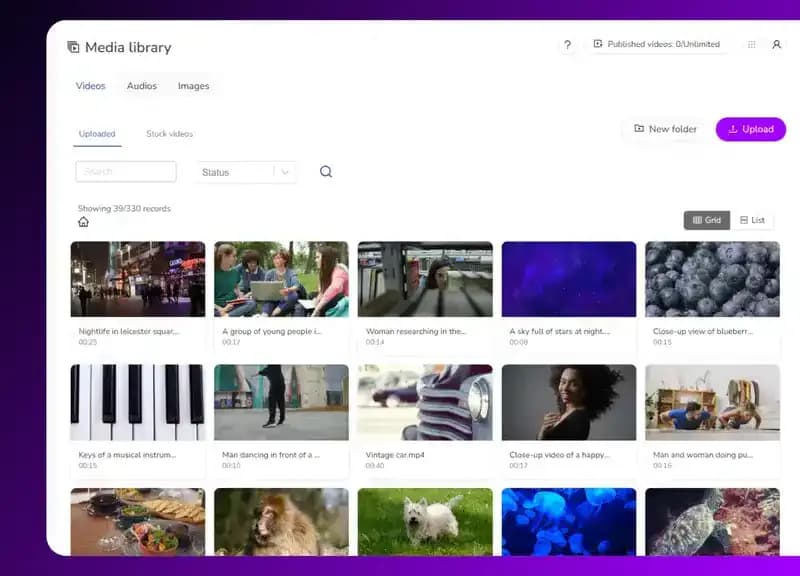
Cinema8's video hosting platform gives customer success teams the tools to build, host, and measure self-service support libraries without managing multiple platforms. Video content can be searched within the video library as well as in-video with chapter markers that allow customers to navigate directly to the answer they need. Teams can organise content into structured collections, update individual videos without disrupting the wider library, control access by account type, and build secure educational video content libraries. For SaaS customer success teams, choosing a video hosting platform is a foundational decision that affects how easily customers can find and use support content.
Cinema8's video analytics also give visibility into engagement patterns, helping teams identify how customers behave and where they might be escalating requests to support, making it easier for teams to identify gaps, score customer health based on behaviour data, and improve the self-support video library.
Building a support library that works for your customers
A self-service support library works when customers can find answers independently. What makes that possible in practice are searchable video hosting that indexes content effectively, a library organised around how customers actually look for help, and analytics that surface where the experience isn't up to standard.
For customer success teams, the payoff is a measurable reduction in repetitive support requests and a support function that spends less time on questions the library should be resolving. As content libraries grow, the combination of structure, searchability, and measurement becomes increasingly important to maintain.
Read more about Cinema8's plans to see how it supports self-service support libraries with searchable video hosting.