Video engagement analytics record what happens inside a support video, such as where viewers drop off, which sections they replay, and whether they act on a CTA. When a viewer replays the same 30-second segment four times, that timestamp is likely a customer pain point. This article explains how to read video engagement analytics, what the patterns mean, and how support, product, and marketing teams can act on the data.
Why should you use video engagement analytics for support content?
Support video data is one of the most precise sources of customer feedback available to marketing and product teams. Unlike survey responses, video engagement analytics capture behaviour at the exact second a viewer encounters something they cannot resolve.
Retention curves (the core output of video engagement analytics platforms) show the percentage of your audience still watching at each second of a video. When that curve drops steeply at a specific point, viewers likely could not resolve their question from what was on screen. The most common causes are a step that assumes prior knowledge the viewer does not have, a UI screenshot that reflects an older product version, or an explanation that skips a decision the viewer still needs to make.
Tracking drop-off patterns across multiple videos builds a reliable map of where customer confusion concentrates. That map is more actionable than periodic surveys, because viewers register confusion through behaviour before they articulate it through feedback. This data can be used by customer success teams to score customer health and improve content where necessary.
What replay data in video engagement analytics tells you
Replay behaviour is one of the most underused signals in video engagement analytics. When a viewer rewinds and watches the same section twice, the first pass likely did not give them enough to proceed. When replay clusters appear at the same timestamp across hundreds of viewers, that section may contain information the product has not made clear anywhere else.
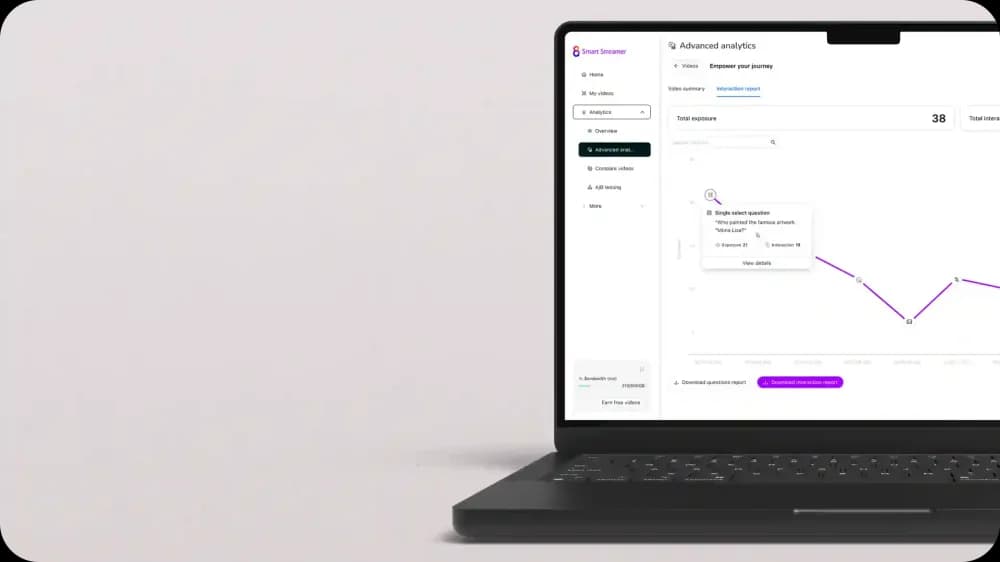
Engagement heatmaps in Cinema8's secure video hosting platform, display where replay activity is concentrated across your full viewer base. A section showing high replay density is a strong indicator that the product workflow it describes needs either simplification or a clearer explanation in the supporting content. Teams that review heatmap data alongside support ticket volume often find a direct correlation between the questions appearing in tickets and the sections generating the most replays in video.
How video engagement analytics connect to product decisions
The most immediate application of support video engagement analytics is improving the content itself. The more strategically valuable application is feeding the data upstream into product and customer success decisions.
A section of your interactive customer onboarding video where 40% of viewers drop off signals that 40% of customers are not completing the workflow that section covers. Product teams using video engagement analytics alongside activation metrics can determine whether low feature adoption is a discoverability problem or a complexity problem. If viewers watch a full feature walkthrough but activation rates remain low, the product experience needs work. If viewers drop off at the step requiring configuration, the workflow itself needs simplifying.
Support teams can use the same data to brief customer success managers on which areas are generating confusion before calls happen. Knowing that 60% of new customers replay the same section of a getting-started video means you can address that moment in onboarding emails, in-app tooltips, and follow-up sequences before a customer raises a ticket.
What are the most actionable video engagement metrics for support teams?
Video engagement analytics tools produce several distinct data signals. Below are the four most actionable for support content, each revealing a different type of customer pain points.
- Viewer retention rate. This shows the percentage of your audience still watching at each point in the video. Drop-off at 50% or above does not automatically signal a problem in support video content. A viewer who leaves halfway through may have found their answer and moved on. The pattern worth investigating is when a significant proportion of viewers exit at the same timestamp, especially if that point falls before a critical product step is completed.
- Drop-off timestamps. These are most useful when filtered by viewer segment. If a high-churn customer cohort exits a renewal support video at the 45-second mark while a retained cohort watches through to the end, that timestamp contains information that is not landing with the audience most at risk.
- Replay density. Sections with concentrated replay activity identify the specific moments where viewers could not resolve a question on the first pass. These sections are the highest-priority candidates for content revision or product simplification.
- Interaction rate on in-video elements. For support videos that include a CTA to book a call, low interaction rates on a high-retention video indicate the CTA is either poorly timed or poorly phrased. A/B testing different CTA placements within the video identifies which position generates more qualified responses.
How Cinema8 delivers video engagement analytics for support teams
Cinema8 is a secure video hosting platform with built-in viewer-level video engagement analytics, engagement heatmaps, and A/B testing. Teams can see where specific audience segments are dropping off or replaying content, down to individual viewer sessions. Heatmaps display engagement density across the full video timeline, allowing teams to pinpoint which moments are generating customer pain points at scale.
When building self-service support libraries, teams using Cinema8 can run A/B tests to compare different versions of a support videos such as testing a shorter cut against a longer one or a CTA button at 30 seconds against one at 60 seconds. This produces grounded performance data. Cinema8 also integrates with CRM platforms including HubSpot, so interaction data from in-video CTA clicks flows directly into customer records without a manual export step.
Cinema8's in-video lead generation forms allow viewers to submit a question or request a callback without leaving the player. Each form submission carries the timestamp of where in the video it was completed, giving support teams context that a standard contact form cannot provide.
What video content generates the clearest pain point signals?
Not every video type produces equally useful engagement data for identifying customer pain points. Support walkthroughs, onboarding tutorials, and feature explanation videos generate the clearest signals because viewers are actively trying to complete a task, and their behaviour reflects their success or failure at each step.
Task-specific videos with a defined viewer goal can produce the richest video engagement analytics data. Here is why specificity matters for the signal quality:
- A video titled "How to connect your CRM integration" may generate cleaner engagement data than one titled "Getting started with our platform", because the viewer's intent is precise and the task has a clear endpoint.
- When a viewer replays the authentication step in a narrowly scoped video, the customer pain point is traceable to a specific product action as opposed to a general content quality issue.
- Task-specific videos also make A/B testing more meaningful, because you are comparing performance on a fixed goal rather than a broad topic with variable viewer intent.
Webinar recordings and thought leadership content generate engagement data that reflects attention levels. This is useful for content strategy, but less actionable for identifying specific customer pain points.
What video engagement analytics tell support teams
Drop-off timestamps, replay density, and interaction rates each signal a different type of customer problem, from content gaps to product complexity to messaging misalignment. Teams that review video engagement analytics systematically can address those root causes before they accumulate in support ticket queues. When support, product, and marketing teams share access to the same video data, decisions about content updates and customer success outreach are more intentional.
Explore Cinema8's platform or choose a plan to start benefitting from detailed engagement analytics.