Securing educational video content requires access controls, encryption, and secure video hosting. Access controls define which clients, teams, or user groups can view each video. Encryption protects content in transit using TLS and at rest using AES-256. This guide covers the controls organisations need to protect proprietary video content and how to configure them without disrupting the learner experience.
What security risks affect unprotected training video?
Organisations that use video hosting without access controls expose educational content to three main risks: unauthorised sharing, piracy, and data exposure. A client who purchases a course package can forward the viewing URL to anyone outside their licence. Configuring video access controls at the platform level restricts playback by verified identity. This closes the gap between who paid for access and who actually has it.
Platforms built for course delivery, such as Cinema8, apply access controls and log viewer activity by user identity. This supports GDPR audit requirements for organisations processing learner data in the UK and EU without manual tracking.
How do access controls secure educational video content?
Access controls secure educational video content by defining which users or groups can view, share, or download a video. They operate at the platform level as opposed to the link level. This distinction matters for organisations selling course content because a link-based approach puts access decisions in the hands of the buyer, while a platform-level approach keeps those decisions with the content owner. It's also valuable for L&D teams using video hosting because it ensures the training content is contained to internal use.
There are four access control types that organisations use to protect training video content. Each operates at a different level, and most deployments combine more than one to limit the routes through which content can reach unintended viewers.
- Role-based access ties permissions to a user's role in the platform. A client on a basic licence can view the courses included in that tier. A client on a premium licence accesses the full library. No user can access content outside their assigned role without a permission change from the administrator.
- Domain restriction limits video playback to specific websites or platforms. A video embedded in a client's internal portal will only play on that domain. Attempting to embed or play it on any other domain returns an error. This prevents clients from redistributing embedded video players to unauthorised audiences.
- IP restriction limits video access to specific IP address ranges. Organisations delivering content to a single client site can restrict playback to that site's IP range. Viewers outside that range cannot access the content regardless of whether they have the URL.
- Expiry controls set a time window for video access. A course sold on a 90-day licence can expire automatically at the end of that period. Clients who attempt to access content after expiry receive an access denied response without any manual revocation needed.
What encryption applies to educational video hosting?
Training video needs encryption at two stages: in transit and at rest. In transit covers the connection between the video server and the viewer's device. At rest covers the stored video file on the hosting platform. Most organisations delivering paid content need to address both stages before publishing. Four encryption standards apply to training video. These include:
- TLS 1.2 and TLS 1.3 are the current standards for video in transit. They encrypt the connection between the video server and the viewer's browser. Platforms still using TLS 1.0 or 1.1 are operating below current security baselines. Organisations should verify their video host's TLS version before publishing proprietary content.
- AES-256 is the standard for video at rest. It encrypts the stored file so that a server breach does not expose viewable content. AES-256 is the encryption standard used in financial services and government data storage.
- HLS encryption protects the video stream at the segment level. HTTP Live Streaming breaks video into short segments delivered sequentially. Encrypting each segment means a captured stream packet contains only a few seconds of unusable data. It does not prevent screen recording, which is a separate problem addressed by DRM.
- DRM (Digital Rights Management) prevents authorised users from redistributing content they can legitimately view. DRM binds a licence to a specific device or session. A client who can view a course cannot export it for redistribution or resale on other platforms.
How does Cinema8 secure educational video content for organisations?
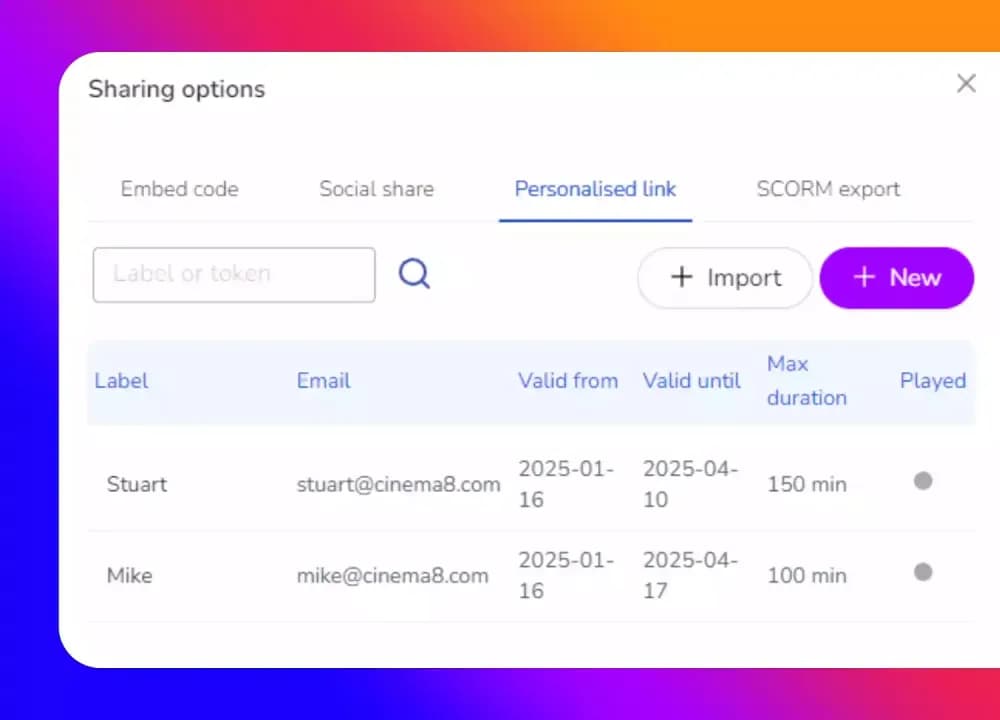
Cinema8's video hosting platform is ISO 27001 certified and applies access controls and encryption at the platform level. Administrators define role-based permissions inside the dashboard. Videos can be restricted by domain, IP range, expiry window, or user role without additional developer configuration.
Cinema8 also supports SSO integration and tokenised playback. Each viewer session is assigned a temporary, expiring access token. This means a copied or forwarded video URL cannot be used outside the authorised context.
For organisations delivering secure educational video content through an LMS, Cinema8 supports SCORM 1.2 and SCORM 2004 export as well as LTI integration. Cinema8's video hosting platform integrates with your LMS, which means learners access Cinema8 content directly through their LMS dashboard. Video engagement data, quiz results, and completion tracking feed back into your LMS without manual reporting.
Finally, Cinema8 provides access event logging that records who viewed each video, at what time, and from which device. This log is exportable for compliance reporting and client usage audits.
What does a secure educational video setup look like in practice?
Organisations that configure access controls, encryption, and compliance logging before publishing video treat security as part of the release process. Role-based permissions define who can view each piece of content. Domain restriction and tokenised playback close the routes through which content reaches unintended viewers. Audit logs run automatically, so compliance evidence exists before it is requested.
That combination protects course revenue, keeps client data within its agreed scope, and removes the operational cost of responding to access breaches after they occur.
For teams looking to secure their educational content with access controls and encryption, explore Cinema8's plans to see how it provides secure video hosting.