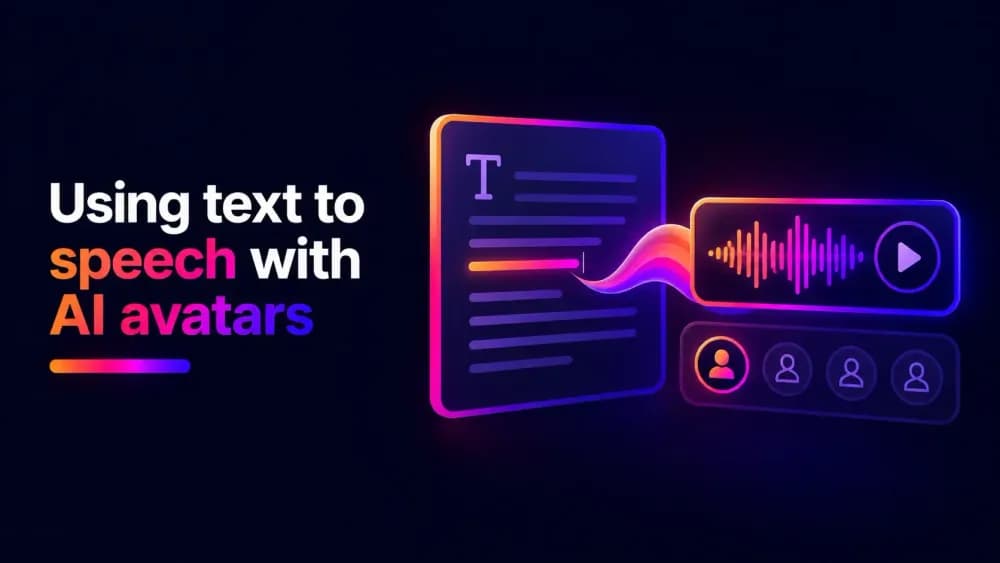
AI avatars can deliver spoken content without requiring a new voice recording for every video. Text-to-speech technology makes this possible by converting written scripts into AI-generated voices that can be used with digital presenters. In this guide, we'll explain how to use text to speech with AI avatars, choose suitable voices, improve pronunciation, and create natural-sounding presentations.
What is a text to speech avatar?
A text to speech avatar is a digital character that delivers spoken content using an AI-generated voice. Written text is converted into audio, which is then used to make the character appear to speak.
Unlike a traditional voiceover, where viewers hear narration without necessarily seeing a speaker, a text to speech avatar presents the information through a visible digital character.
Businesses can use these presenters for employee training, product demonstrations, customer education, and other scripted videos. For example, a company could use the same AI avatar to introduce different training modules, updating the spoken content whenever its procedures change.
The main advantage is the ability to produce and revise spoken presentations without arranging new recording sessions.
How does text to speech work with AI avatars?
Text-to-speech technology uses AI to generate spoken audio from written language. The system interprets the script, including its words, punctuation, and sentence structure, to produce speech with a selected voice.
AI voice generators can reproduce different accents, speaking styles, and vocal characteristics. Some also support emotional delivery, allowing the same voice to sound enthusiastic, calm, or reassuring. The generated speech is then used as the audio for an avatar presentation. The character's movements are synchronised with the recording to create the appearance of spoken dialogue.
This separates two important parts of the production process: what the avatar says and how it sounds.
You can refine the wording, pronunciation, and vocal delivery before producing the finished video. That makes it easier to create presentations where the speech is clear, consistent, and appropriate for the audience.
How to use text to speech with an AI avatar
Using text to speech with an AI avatar starts with a written script. Prepare the content as something a person would naturally say. Shorter sentences, conversational language, and clear transitions make spoken presentations easier to follow. For example, instead of writing "The implementation of the updated platform will facilitate improvements in operational efficiency," you could write "We've updated the platform to help your team work more efficiently."
Once the script is ready, enter it into an AI text-to-speech generator and select a voice. Listen to the recording to check that the pronunciation, pacing, and emphasis sound natural. Names, abbreviations, and technical terminology may need small adjustments before the audio is ready. The finished voiceover can then be combined with a digital avatar to create a talking presentation.
Choosing the right voice for your AI avatar
The voice you choose affects how viewers perceive your digital presenter. A clear, conversational voice often works well for training and educational content, while promotional videos may benefit from an energetic delivery.
Consider the audience, language, accent, and overall tone of the presentation. A voice that sounds impressive in a short preview might not be comfortable to listen to throughout a longer video, so test it with a representative section of your script.
Consistency is also important when using the same voice avatar across multiple videos. Keeping the same voice, accent, and general speaking style helps audiences recognise the presenter, particularly in recurring training materials or branded content.
The aim is to choose a voice that supports the message without distracting from it. Natural delivery and clear pronunciation are generally more valuable than exaggerated vocal characteristics.
How do you make AI avatar speech sound more natural?
Natural-sounding speech starts with the script and prompt. Text-to-speech models use punctuation and sentence structure to interpret pauses, emphasis, and the rhythm of spoken language.
Long sentences can make generated speech feel rushed or difficult to follow. Breaking them into shorter statements often produces a more comfortable pace without requiring extensive audio adjustments.
Pronunciation is another important consideration. AI voices can occasionally mispronounce brand names, abbreviations, or unfamiliar terminology. Rewriting a word phonetically or using pronunciation controls can help correct these issues.
Speaking speed also affects the result. A moderate pace usually works well for instructional content, while shorter promotional messages may benefit from a slightly faster delivery. Give listeners enough time to understand important information without making the presentation unnecessarily slow.
Listen to the complete audio before generating the avatar video. Checking the voiceover first makes it easier to correct awkward phrases and pronunciation errors without having to produce the entire presentation again.
How to add emotion and expression to AI avatar voices
AI-generated speech doesn't have to sound completely neutral. Some voice generators support emotional delivery, allowing a presenter to sound enthusiastic, reassuring, serious, or conversational. This can make avatar videos more engaging when the tone matches the subject.
Emotional delivery is most effective when used selectively. A presenter that sounds excited throughout an entire training video can become distracting and may sound unnatural. The voice should also complement the character's visual presentation. A cheerful voice paired with an expressionless avatar can feel disconnected from the dialogue. Focus on maintaining a recognisable personality, with changes in tone where they genuinely support the message.
How do you use text to speech with multilingual AI avatars?
Text-to-speech technology can help businesses create avatar presentations for audiences who speak different languages. Instead of recording separate voiceovers with multiple speakers, teams can generate speech in the languages they need. This is useful for a wide range of international business use cases.
However, translating a script word for word doesn't always produce natural spoken content. Expressions, sentence structures, and technical terminology may need to be adapted for each audience. Voice selection also matters. Choose voices with clear pronunciation in the target language, and consider regional differences where appropriate.
The duration of the audio may change between languages, as the same message can take longer to deliver in one language than another. Review each version to make sure the speech works with the presentation's visuals and timing.
For important business content, have translated scripts reviewed by a fluent speaker before generating the final voiceover.
Using Cinema8's text to speech tool for AI avatars
The Cinema8 AI Studio provides AI voice generation capabilities that can be used to prepare spoken content for avatar-based videos. You can generate audio from a written script and refine the voiceover before using it in a video. This makes it easier to work on pronunciation, pacing, and delivery separately from the character's appearance.
Cinema8 also provides AI image and video generation tools that can be used to create digital characters and produce talking presenter videos.
Once your video is ready, you can save it and use the platform's video hosting features to organise, manage, and share your content.
Give your AI avatars a voice with text to speech
Text-to-speech technology makes it easier to produce spoken presentations without recording new voiceovers for every video. With a clear script, suitable voice, and natural delivery, businesses can create digital presenters for training, marketing, and educational content. It also makes recurring content easier to update and helps organisations produce presentations in multiple languages.
Explore Cinema8's plans and start generating AI voices, creating avatar-based videos, and managing your finished content within one platform.