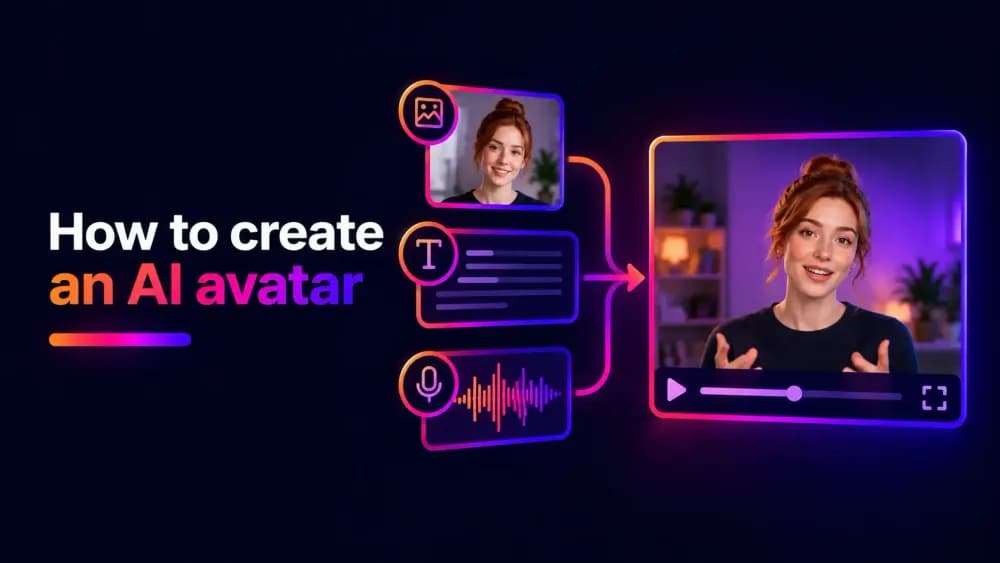
AI avatars let you create digital characters and presenters without filming every scene yourself. You can generate an original character, create a digital version of yourself, or turn a photograph into a talking presenter using AI. In this guide, we'll explain how to create an AI avatar, personalise its appearance, add speech, and use it in videos.
What is an AI avatar?
An AI avatar is a digital representation of a person or fictional character created or animated using artificial intelligence. It can resemble a real person, take the form of a realistic generated character, or use an illustrated or cartoon style.
Unlike a conventional avatar image, an AI avatar can also be animated to speak, move, or display facial expressions. An AI talking avatar, for example, can deliver scripted content without requiring a human presenter to record every video.
For example, a business might use an AI avatar to deliver employee training, introduce a product, or explain a service. A creator might develop an original character for educational videos or social media content.
There are two important distinctions when considering AI avatar creation:
- Creating the avatar's appearance: Generating or selecting the image that represents the character.
- Animating the avatar: Using AI to add movement, facial expressions, or speech to that character.
Some tools handle both processes, while others specialise in generating images or producing animated videos.
How to create an AI avatar in 6 steps
You can create your own AI avatar using a combination of AI image generation and video tools, or choose a platform that brings these capabilities together. The exact process depends on whether you want a still image of a character, an animated presenter, or a realistic digital person. The following steps provide a good starting point.
1. Decide what your AI avatar will be used for
Before choosing a tool, establish what you want your avatar to do. A digital presenter delivering training videos has different requirements from a fictional character appearing in animated scenes. For example, a talking presenter needs clear facial features and convincing speech animation, while a fictional character may require greater flexibility in appearance and movement.
Consider whether the avatar needs to speak directly to the camera, resemble a particular person, appear in different environments, perform actions or gestures, or maintain a recognisable appearance across multiple videos. These requirements will help determine which creation method and AI models are suitable.
2. Choose an AI avatar creation method
There are several ways to create an AI avatar, and not every approach requires the same source material.
Generate an original character from text: You can use an AI image generator to create a fictional character from a written description. This approach gives you control over the character's appearance without needing an existing photograph.
Create an avatar from a photograph: Some AI tools can use an uploaded photograph as the starting point for a digital avatar. Depending on the platform, the result might preserve the person's appearance or transform it into a different visual style.
Use a predefined avatar: Certain avatar platforms provide libraries of ready-made digital presenters. You select a character and customise the available settings instead of generating its appearance from scratch.
Choose the approach that best matches your intended result. If you want a completely original character, text-to-image generation provides a useful starting point. If you want to represent yourself, a photograph-based method may be more appropriate.
3. Generate or upload your avatar image
If you're creating an original character, write a prompt describing its appearance. Include specific details such as facial features, hairstyle, clothing, approximate age, and visual style. You can also describe the background, lighting, and camera angle. For example:
A realistic digital presenter in their early thirties, with short dark hair, brown eyes, and a light blue shirt. Facing the camera with a friendly expression, soft studio lighting, and a neutral background.
Generate several variations and select the image that most closely matches your intended character.
If you're using a photograph, choose one with clear facial features and suitable lighting. A front-facing portrait is often a good starting point for talking avatar generation because the AI model can more easily identify the mouth, eyes, and facial structure. Avoid heavily filtered images, extreme camera angles, and photographs where objects obscure the face.
4. Customise the avatar's appearance
Once you have a starting image, refine its appearance before moving into video generation. Depending on the tool, you may be able to change clothing, hairstyle, facial expressions, backgrounds, or the overall visual style.
For example, you could create a custom AI avatar wearing your company's branded clothing or place a digital presenter against a background that matches your training materials. Some tools allow direct editing of an existing character. Others require you to modify the original prompt or generate another image.
Try to finalise the avatar's main identifying features before producing several videos. Changing the source image repeatedly can make it harder to maintain a recognisable character across different generations.
5. Add speech or animation
If you want to create a video, the next step is to animate your avatar. For a talking presenter, you'll typically need an audio track. This might be a recording of your own voice or speech produced using an AI voice generator. An AI video model can then use the audio and source image to generate facial movements that correspond to the speech.
If your avatar doesn't need to speak, you may instead use an image-to-video generator to add actions, expressions, or camera movement. For example, you could animate a character smiling, turning towards the camera, or walking through an environment.
6. Generate, review, and export your video
Generate your avatar video using the selected image, audio, and animation settings. Watch the finished result carefully before exporting it and pay particular attention to facial movement, image quality, and whether the character behaves as intended.
For talking avatars, check that mouth movements correspond reasonably well with the speech. Unnatural expressions or visible distortions may require a different source image, revised audio, or another generation attempt. Once you're satisfied, export the video in a suitable resolution and aspect ratio.
How to make an AI avatar of yourself
Creating an AI avatar of yourself involves using your own appearance as the basis for a digital character. The simplest approach is to use a photograph, although some platforms support more advanced personalised avatars created from multiple images that use different angles or recorded footage.
To make an avatar of yourself, start with a clear portrait that accurately represents your appearance. Look directly towards the camera, use even lighting, and avoid anything that obscures your face.
Next, upload the image to an AI avatar generator from photo inputs or another compatible image generation tool. You may be able to preserve your appearance, transform the photograph into an illustrated character, or use it as the basis for a realistic digital presenter.
If you want the avatar to speak, use a compatible video generation tool to animate the portrait with recorded or generated audio.
The amount of visual information you provide affects what the model can reproduce. A single photograph may work well for a front-facing talking presenter but provide less reliable results when the character turns its head or moves through a scene.
Note: When creating an avatar of yourself, check how the provider stores your images, whether they can be deleted, and whether uploaded material may be used to improve its models.
How to make an AI avatar talk
A talking AI avatar uses artificial intelligence to generate facial movements that correspond to spoken audio. By combining a character image with recorded speech or an AI-generated voice, the model produces a video in which the avatar appears to deliver the dialogue.
For more natural results, use a clear, front-facing portrait and audio with minimal background noise. Keep speech at a steady pace to help the avatar's mouth movements match the dialogue.
Review the finished video for lip-syncing errors, unnatural expressions, or facial distortions before publishing.
Creating AI avatar videos with Cinema8 AI Studio
Cinema8's AI Studio provides AI image, video, and audio generation tools that can be used together to create avatar-based content. You can generate an original character using the text to image tool or start with an existing photograph. This gives you a visual reference that can be used for subsequent video generation.
Cinema8's image to video capabilities can animate an existing image, while supported image and audio generation workflows can produce talking presenter videos using a portrait and speech. AI voice generation tools can also be used to prepare spoken audio for your content.
The available settings and generation methods depend on the selected AI model. Creating a character image, generating speech, and animating a presenter may involve separate tools within AI Studio.
Once your video is ready, you can save it to your Cinema8 library and use the platform's wider video hosting and management capabilities to organise and share your content.
Create your own AI avatar for video
Learning how to create an AI avatar starts with choosing the right creation method for your intended content. You can generate an original character, use a photograph to create a digital version of yourself, or animate an existing image with speech and movement. The most suitable approach depends on how realistic, personalised, or animated you want the finished result to be.
If you're ready to experiment with AI-generated characters and presenter videos, select one of Cinema8's available plans to create images, generate video, and manage your finished content in one platform.