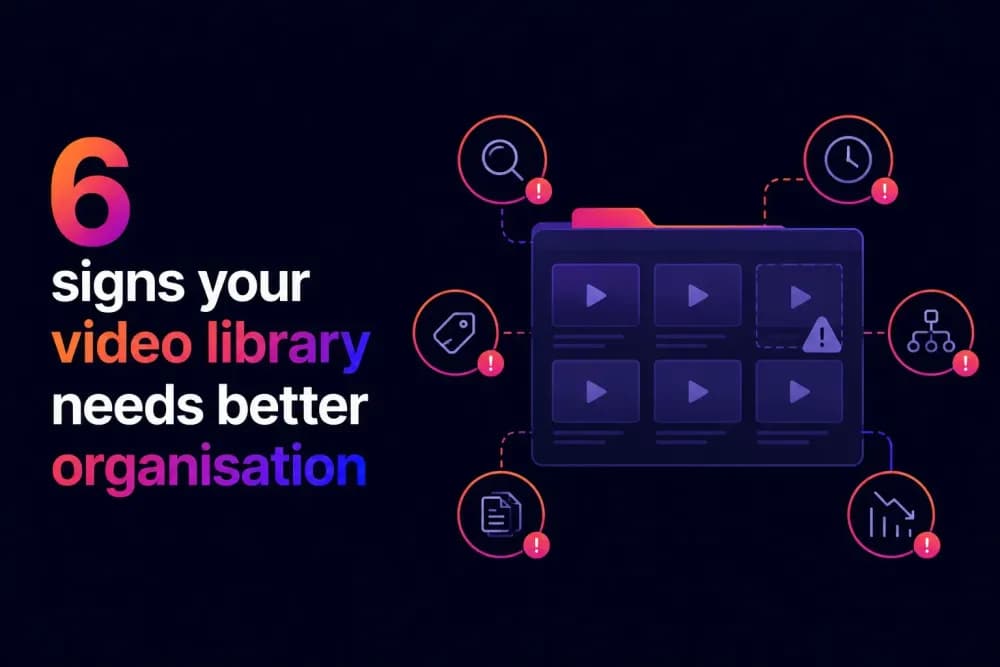
A video library that worked at fifty assets rarely works at five hundred. The signs of a disorganised library are usually visible long before anyone names the problem: search returns the wrong results, teammates ask each other for files, and outdated content keeps circulating. This post covers six specific signs that your video library needs better organisation, and what each one tells you about where the problem sits.
At what point does a video library stop being manageable?
Video libraries do not fail suddenly. They degrade gradually, through a series of small decisions that each seem reasonable at the time. A file uploaded without tags, a folder created outside the agreed structure, a link shared to a video that was later replaced. None of these feel significant individually. But each one makes the next search slightly less reliable and the next upload slightly more inconsistent.
The tipping point is usually the moment when the team's informal knowledge of the library stops being enough. In a small team with fifty videos, people remember roughly where things are. When that team grows, or the library doubles in size, or a new department starts uploading content, that shared memory breaks down. Search stops returning reliable results, and the workarounds begin. Those workarounds are what cause a disorganised video library. The six signs below are what you need to look out for.
Sign 1: Your team asks each other for files instead of searching the library
When teammates regularly send messages asking "do you know where the latest version of X is," the library has effectively stopped working as a retrieval system. People have concluded, usually from experience, that asking a colleague is faster than searching. That conclusion is usually correct, which is the problem.
This sign points to a metadata gap more than a structural one. A library where titles are vague, descriptions are missing, and tags are inconsistent will return poor search results regardless of how well the folders are organised. If this is happening in your team, the first thing to audit is not the folder structure but whether the metadata on existing assets is complete enough to make search reliable. Cinema8 is a secure video hosting platform that enforces metadata at the point of upload so that search has something to work with from the start.
Sign 2: You cannot tell which version of a video is current
Having multiple copies of the same video, with different names, in the same folder, is one of the most recognisable signs of a library without version control. It creates two problems simultaneously. The person searching cannot tell which version is approved for use without opening each file, and analytics across multiple copies are fragmented, making it impossible to get an accurate picture of how many people have watched the current version.
The root cause is usually the absence of persistent video URLs. When a video is updated by uploading a new file rather than replacing the existing one, the old version stays in the library and old links keep pointing to it. Teams that share video via direct links rather than through a managed library tend to accumulate versions quickly because there is no mechanism to retire the old one when a new one goes live.
Sign 3: Outdated content is still being found and shared
If a customer receives a video featuring an outdated feature, or a new employee completes compliance training from a superseded framework, the video library has a content currency problem. This is distinct from having outdated content sitting unused in the library. The issue is that outdated content is actively findable and being used, which means search is not distinguishing between current and retired assets.
This sign points to the absence of expiry or review dates on time-sensitive content. When no review cycle exists, content circulates indefinitely after it should have been retired. A library that treats every uploaded video as permanently current will always produce this outcome as it grows. The fix is setting a review date on time-sensitive content at the point of upload, so the problem does not re-accumulate after the audit is done.
Sign 4: Different teams tag and name content differently
When a marketing team tags a video with a different tag to a sales team and an L&D team, the tag system adds no retrieval value. Each team has effectively built a separate mini-library inside the same platform, and cross-team search returns a fraction of the relevant results because the same concepts are described in incompatible ways.
This is one of the more damaging signs because it is invisible until someone tries to search across teams. A team searching only within their own content may not notice anything is wrong. The problem surfaces when a new team member tries to find all approved external-facing content regardless of which team produced it, or when a content audit tries to establish what the library actually contains. The fix is a shared tagging convention documented and distributed before the library grows further, not after.
Sign 5: You cannot tell from search results which videos are approved for use
If a sales rep searching the library for a customer-facing asset cannot tell from the search results which videos are approved for external use and which are internal drafts, the library has an access and classification problem. In practice this means the rep either opens multiple files to check, asks a colleague, or makes a judgement call and shares something that may not be cleared for external distribution.
This sign points to missing approval status as a metadata field and insufficient access controls at the folder or asset level. A well-governed library separates content by audience and approval status structurally, so a sales team member browsing their section of the library only sees content cleared for their use. Where that separation does not exist, the risk of sharing the wrong content grows with every new asset added to the library. Cinema8 handles this through viewer-level permissions and domain restrictions, so access control is built into the library structure rather than depending on individual judgement.
Sign 6: Your analytics show view counts but not who watched or what they did
If your video hosting platform shows a total view count but cannot tell you which specific viewers watched, how far they got, or whether they completed the video, you are working with engagement data that cannot inform any meaningful decision. A total view count on a training video tells you nothing about whether the team that needed to watch it actually did. A view count on a customer-facing demo tells you nothing about whether the right buyers engaged with it.
This matters for video library management because the absence of viewer-level analytics is also the absence of the data that tells you which content is working, which is being ignored, and which is being found at all. Teams managing a video library without this data make decisions about what to create, update, and retire based on little to no evidence. Cinema8 provides viewer-level analytics including engagement heatmaps, retention tracking, and interaction data, so library decisions are based on how content performs rather than how many times a file was opened.
How do video library problems show up for teams day to day?
The six signs above share a common thread. None of them require rebuilding a library from scratch to fix. They each point to a specific part of the structure that broke down first, and that is where the fix belongs. A team that cleans up duplicate files without introducing persistent URLs will accumulate duplicates again. A team that audits outdated content without setting review dates at upload will need another audit in six months.
Cinema8's video hosting platform addresses the structural causes. Enforced metadata at upload prevents the search failures that drive colleagues to message each other. AI-generated titles, descriptions, and chapter suggestions reduce the manual effort that causes metadata to be skipped in the first place. Viewer-level permissions and domain restrictions replace judgement-based access decisions with structural controls that hold as the library scales.
If more than two of these signs are present in your enterprise's video library, you'll need to start following better video library management practices to cover the structural changes that address each of them at the root.