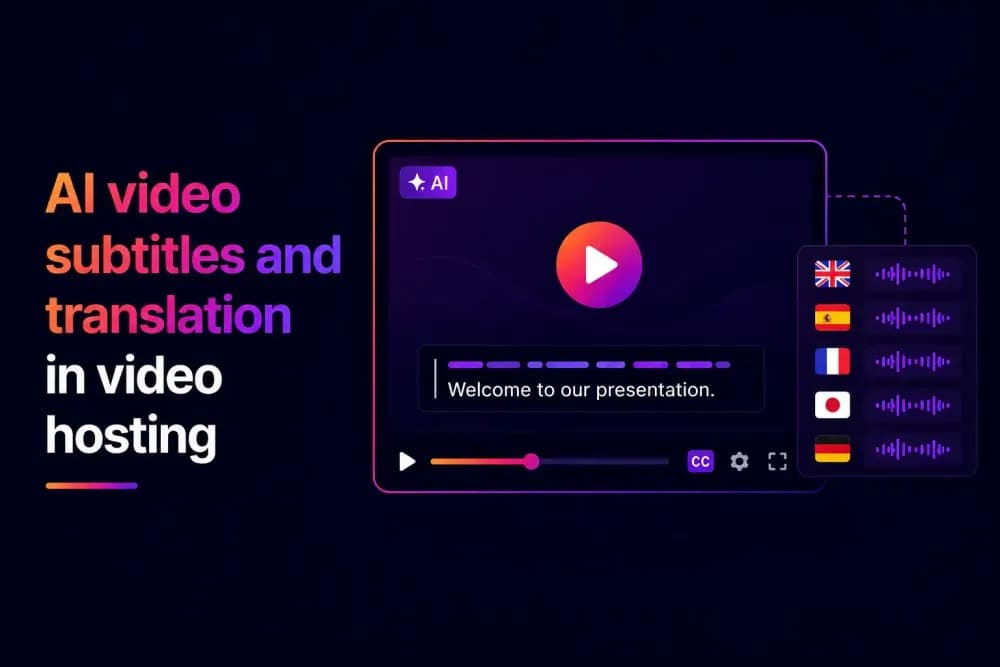
AI video subtitles can be generated, edited, translated, and published without moving a video between separate tools when these capabilities are part of a video hosting platform. Teams can create timed subtitles from spoken audio, review and edit the results, and translate them for multilingual audiences. This guide explains how AI video translation fits into that business workflow.
How do AI subtitles work inside a video hosting platform?
In a video hosting platform, AI video subtitles convert the spoken audio into timed text. Instead of exporting the video to a separate transcription service, teams can generate and manage the subtitle track within the platform where the video is already stored.
The process typically starts with the platform analysing speech in the video and converting it into text. Timing information connects each section of text with the relevant part of the video so that subtitles appear alongside the dialogue during playback.
Once automatic video subtitles have been generated, teams can review the text and timing before publishing. Names, technical terminology, accents, background noise, and unclear speech can all affect transcription accuracy, so AI-generated output should still be checked manually.
Cinema8's video hosting platform includes an AI subtitle generator as part of its tools. Teams can generate subtitles for a hosted video and use the Subtitle Editor to change the text, adjust timing, and preview the results before saving.
How does AI video translation work after subtitles are created?
AI video translation can use an existing subtitle track as the source for additional languages. Rather than transcribing the original audio separately for every language, the platform translates the subtitle text and creates another language track connected to the same video.
This is different from AI dubbing. Subtitle translation changes the text available to viewers while the video's original spoken audio remains unchanged. Platforms that advertise video translation may support subtitles, dubbed audio, or both, so businesses should check which method is provided.
Cinema8 supports AI-generated subtitle translations into more than 100 languages. The translated subtitles remain part of the hosted video workflow and can be reviewed before they are used with the video.
Why should teams review AI video subtitles and translations?
AI video subtitles can reduce the manual work involved in transcription, but generated text is not necessarily ready to publish without review. Errors in names, numbers, product terminology, or technical language can change the meaning of the content.
Reviewing the original subtitle track is particularly important when it will also be used for AI subtitle translation. An error in the source text can carry into translated versions, making it useful to review the original before creating additional language tracks.
Translations may need their own checks for wording and context too. A technically correct translation may still use terminology or phrasing that is unsuitable for a particular market, organisation, or subject.
Cinema8 keeps subtitles editable after they have been added. Teams can change individual subtitle blocks, adjust their timing, and preview the results against the video to ensure everything is exactly as they want it to be before publishing.
How can one hosted video support multiple languages?
Multilingual video does not always require businesses to create and host a separate video file for every language. When a hosting platform supports multiple subtitle tracks, different languages can remain associated with the same underlying video.
This can simplify the management of content used across different markets or audiences. The video remains the central asset, while the subtitle tracks provide the language options needed for its distribution. For example, a business using the same product demonstration in several countries may need one hosted video with several translated subtitle tracks rather than separate copies of the complete video. The same principle can apply to training, onboarding, support, and internal communications.
Can teams upload existing subtitles to video hosting platforms?
AI generation is not necessary when subtitles already exist. A business may have professionally prepared captions, approved translations, or subtitle files created as part of its production process.
Some video hosting platforms allow existing subtitle files to be added directly to the hosted video instead of generating new subtitles with AI. This is useful when the wording has already been reviewed or when an organisation follows its own translation and localisation processes.
Cinema8 supports manual subtitle entry as well as SRT and VTT file uploads. After a file is uploaded, teams can edit individual subtitle blocks, adjust timing against the video, preview the results, and save the finished track. Subtitles can also be exported as SRT or VTT files when they are needed elsewhere. This gives teams a choice between generating subtitles automatically, adding them manually, or using subtitle files they already have.
What are the benefits of managing subtitles inside a video hosting platform?
Handling AI video subtitles within a video hosting platform keeps subtitle management connected to the asset that viewers will eventually watch. Teams do not need to treat transcription, translation, hosting, and publishing as completely separate workflows in completely separate platforms.
This can help businesses manage:
- Generation: Create subtitles from the audio of an existing hosted video.
- Editing: Review text and timing against the video before publishing.
- Translation: Prepare additional language tracks from subtitle content.
- Management: Update and organise subtitle tracks alongside the rest of the video's settings.
- Publishing: Continue from subtitle preparation into the existing video delivery workflow.
The benefit becomes more significant as a video library grows. A connected workflow can reduce the handovers between transcription, translation, video management, and publishing teams.
How are subtitled videos published from a video hosting platform?
Once subtitles and translations have been reviewed, a good hosting platform allows the hosted video to be moved into the organisation's normal publishing workflow. Teams do not need to export a newly subtitled video simply to begin distribution.
The delivery method will depend on where viewers need to watch the content. Hosted videos may be embedded into websites and other digital environments or shared using the publishing options available through the platform. For businesses managing multilingual video, this keeps language preparation connected to delivery. Teams can work on the subtitle tracks and continue managing the underlying video from the same hosting environment.
Cinema8 combines subtitle tools with its wider hosting capabilities, allowing teams to manage videos and prepare them for distribution within the same platform. Its subtitle tools also support styling controls including font, colour, background opacity, and positioning.
How can Cinema8 simplify AI subtitles and video translation?
Cinema8 lets teams generate AI subtitles from hosted videos, then review and edit the text and timing in the Subtitle Editor. Existing subtitles can also be added manually or uploaded as SRT and VTT files.
Once subtitles are ready, teams can translate them into additional languages and manage the resulting tracks within Cinema8. This gives businesses several ways to prepare subtitles depending on whether they are starting with video audio, existing captions, or approved translations.
Bring AI subtitles and translation into your video workflow
AI subtitles can be an excellent way to reduce the work involved in preparing video for different languages, but generation is only part of the process. Teams still need to review the output, manage translations, and make the finished subtitles available when the video is published.
Handling these stages within a video hosting platform can make multilingual content easier to manage as part of the wider video workflow. Explore Cinema8's video hosting plans to see how its AI subtitle, translation, and hosting capabilities could support your video library.