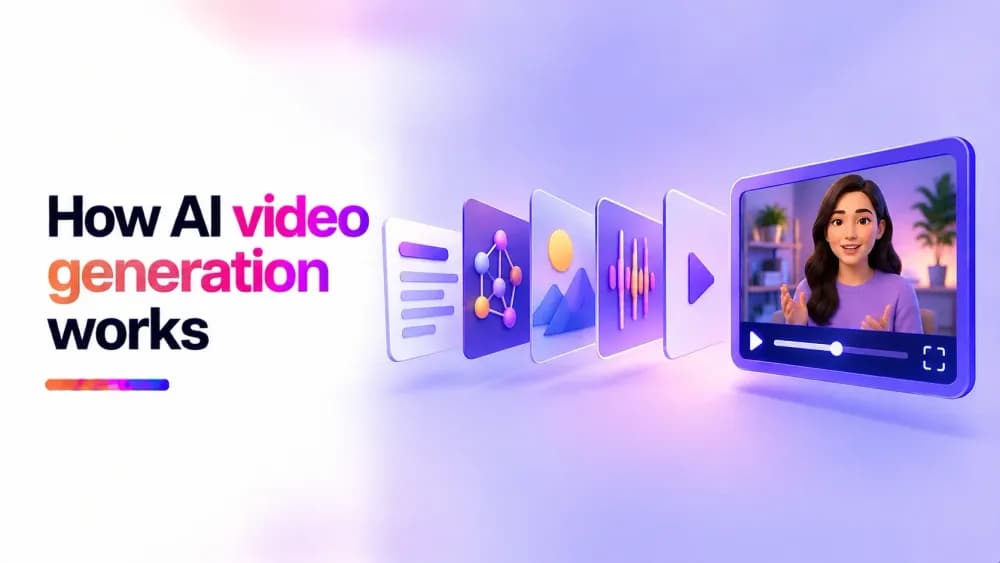
AI video generation works by using machine learning models to create moving footage from text descriptions, images, or other inputs. These models learn patterns from large datasets and apply them to generate new visual sequences. In this guide, we'll explain the technology behind AI video generation, how models create realistic movement, and why certain limitations still exist.
What is AI video generation?
AI video generation is the process of creating new video content using artificial intelligence. Instead of recording a scene with a camera or manually animating individual frames, a generative AI model produces visual content based on an input.
That input might be a written description, a photograph, or another visual reference. For example, a model could generate a short video of a train travelling through a specific landscape from a text description. It could also add movement to an existing photograph.
The generated footage is created using patterns that the model learned during training. It does not require the exact scene to exist in a source video. AI video generation is used in text-to-video and image-to-video systems, although the methods used by individual models can differ.
How does AI video generation work?
An AI video generator uses a trained machine learning model to interpret an input and produce a sequence of visually connected frames.
The process begins when the system receives a description, image, or other supported input. The model converts that information into numerical representations it can process. These representations help it identify relevant concepts, such as objects, actions, environments, and visual styles.
The model then generates visual information that corresponds to the input. Many modern systems use a diffusion-based approach, starting with noisy data and progressively refining it into recognisable video content. Other architectures use different generation methods.
Unlike an image generator, a video model must account for changes over time. It needs to represent how objects move, how the camera viewpoint changes, and which details should remain consistent between moments.
The model also needs to account for how movement changes the appearance of a scene. For example, when a camera moves sideways, nearby objects generally shift across the frame faster than distant ones. Learning these relationships helps AI generate a sense of depth and more believable camera movement.
Depending on the architecture, the model may generate information across multiple frames together or use other techniques to coordinate a sequence. The resulting frames are assembled into a video that can be played back.
This is only how an AI video generator works at a general level. The exact process varies between models, particularly in how they represent motion and produce the final output.
How are AI video generators trained?
Before an AI model can generate video, it must learn patterns from training data. Training typically involves exposing the model to large collections of visual material, which may include images, videos, and associated text descriptions. The model learns statistical relationships between visual features, actions, and language. For example, training material may help a model learn how water behaves, how people walk, or how a camera movement changes the appearance of a scene.
During training, the model's parameters are adjusted to improve its performance on the learning objective. Over many training iterations, it develops representations that can be used to generate new visual sequences.
Some systems are trained specifically for video generation. Others build on models that have already learned to generate or understand images. The composition and quality of the training data influence the model's capabilities. Limited examples of particular movements, subjects, or visual styles can affect how reliably it generates them.
Training data also raises questions about copyright, consent, and transparency. The availability of information about training sources varies between AI developers.
What technologies power AI video generators?
AI video generation relies on several machine learning techniques working together. These techniques include:
- Diffusion models: Used in many generative video systems. During generation, they progressively refine noisy representations into structured visual content. Video diffusion models must also account for relationships across time.
- Transformers: Help models process relationships between different parts of an input or generated sequence. Depending on the architecture, they can contribute to understanding text instructions, visual information, and temporal relationships.
- Latent representations: Allow some systems to work with compressed visual information instead of processing every pixel directly throughout generation. This can reduce computational demands, although the generated representations still need to be converted into viewable video.
These technologies are often combined within a single system. For example, a model may use transformer components within a diffusion architecture while generating video in a compressed representation.
There is no single architecture shared by every AI video generator. Developers make different choices to balance visual quality, motion, processing requirements, and generation speed.
Why do AI-generated videos sometimes look inconsistent?
AI video generators can produce realistic footage, but maintaining visual consistency remains difficult. The model must preserve details across changing viewpoints, lighting conditions, and object positions. Small errors can become noticeable when a sequence is played as continuous motion.
Common inconsistencies include:
- Changing appearances: A person's facial features, clothing, or an object's shape may shift during the clip.
- Unnatural motion: Walking, gestures, or object movement may not follow realistic physical behaviour.
- Background changes: Objects may appear, disappear, or change position unexpectedly.
- Incorrect interactions: A subject may appear to pass through another object or interact with it unrealistically.
- Temporal instability: Fine details may flicker or change between frames.
These problems can occur because the model is generating a plausible visual sequence without necessarily maintaining an exact, persistent representation of every object in the scene. Model architecture, training, and generation techniques all influence how well these issues are controlled.
How is AI video generation different from AI video editing?
AI video generation and AI video editing use artificial intelligence for different purposes. AI video generation creates new footage. A model produces visual content from text, images, or other supported inputs. The resulting video may depict a scene that was never filmed.
On the other hand, AI video editing modifies existing footage. AI-assisted editing tools can perform tasks such as removing backgrounds, generating subtitles, improving image quality, or identifying sections of a recording.
Some applications combine both capabilities. For example, generative AI can be used to extend an existing shot or replace part of a video, which blurs the distinction between generation and editing.
What are common uses of AI video generators?
AI video generators are used in creative, educational, and commercial workflows. Their value often comes from producing visual material without requiring every scene to be filmed. Common applications include:
- Marketing and advertising: Creating visual concepts, promotional clips, and variations of campaign content.
- Social media: Producing short videos, animated visuals, and creative content for different formats.
- Education and training: Generating illustrative scenes that help explain ideas or demonstrate situations.
- Film and creative production: Exploring concepts, visualising scenes, and developing early-stage creative material.
- Product demonstrations: Creating visual examples of products or concepts before physical footage is available.
- Personal projects: Animating photographs, experimenting with visual ideas, and creating short fictional scenes.
The suitability of AI-generated footage depends on the project. Content that requires factual accuracy, authentic documentation, or exact product representation may need additional verification.
How Cinema8's AI Studio uses AI video generation
Cinema8 AI Studio brings generative video capabilities into Cinema8's video hosting platform.
The text-to-video generator creates short video clips based on written descriptions. The image-to-video generator uses a source image from your Cinema8 library or computer and can apply an optional prompt to guide movement and camera effects.
Generated clips appear in the Generations panel, where users can review their results before saving them to the Cinema8 library. Once saved, videos can be hosted, shared, and enhanced with Cinema8's wider video tools.
AI Studio also includes video upscaling and AI avatars, providing additional ways to enhance existing footage and create presenter-led content.
Understanding the technology behind AI-generated video
AI video generation combines learned visual patterns, generative models, and techniques for representing movement over time. These systems can create footage from simple inputs, although maintaining realistic motion and consistent details remains challenging. Understanding how the technology works makes it easier to recognise its strengths, evaluate its limitations, and choose appropriate applications.
Interested in exploring AI-generated video? Choose one of Cinema8's plans to start using the AI Studio and see how text-to-video and image-to-video generation fit into a complete video hosting workflow.