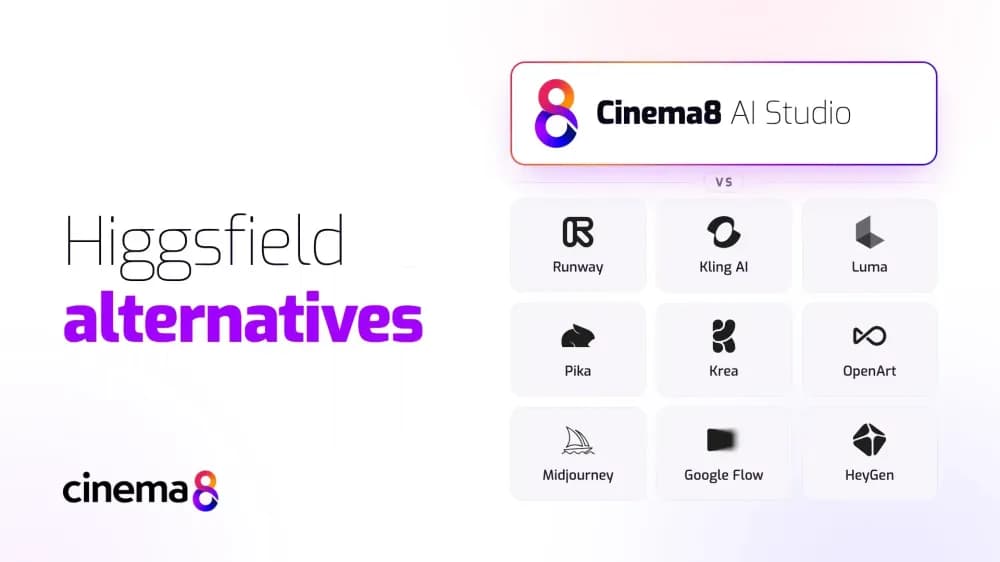
Higgsfield is a popular AI video generation platform known for its cinematic camera controls, visual effects, and creative production tools. However, businesses and creators may want alternatives that offer different AI models, more flexible pricing, or additional video production capabilities. In this guide, we'll compare 10 of the best Higgsfield alternatives for creating AI-generated videos, including their features, pricing, strengths, and limitations.
What is Higgsfield?
Higgsfield is an AI-powered creative platform that allows users to generate videos and images using artificial intelligence. It combines text-to-video and image-to-video generation with cinematic camera controls, visual effects, and tools for creating consistent AI characters.
Its Cinema Studio provides controls for camera movement, lighting, lenses, and scene composition, allowing creators to produce cinematic footage without traditional filming equipment. Higgsfield also offers access to multiple AI generation models, alongside tools for creating advertisements, AI influencers, and other visual content.
The platform is particularly suited to content creators, marketers, and agencies looking to produce visually distinctive videos. Its combination of AI generation and creative controls makes it useful for social media campaigns, product promotions, and creative storytelling.
Why look for Higgsfield alternatives?
Although Higgsfield offers extensive creative capabilities, it may not be the best fit for every video production workflow. Different AI video generators offer their own approaches to pricing, model selection, creative control, and content management.
Some creators may prefer simpler tools for generating videos from text or images, while others need specialised capabilities such as AI avatars, voice generation, or video upscaling. Businesses may also want a platform that supports the wider video workflow, including hosting, sharing, and managing finished content.
Exploring Higgsfield alternatives allows you to compare these capabilities and find a platform that better matches your creative requirements, budget, and intended use.
10 best Higgsfield alternatives for AI video creation
The table below compares 10 Higgsfield alternatives based on their starting prices, key features, strengths, limitations, and best-fit use cases. Each platform offers a different approach to AI video creation, from cinematic footage and visual effects to character animation and AI avatars.
| Platform | Starting Price | Key Features | Best For | Pros | Cons |
|---|---|---|---|---|---|
| Cinema8 AI Studio | Free; paid from $12/month | Multi-model video generation, AI avatars, voice generation, upscaling, video hosting | Creators and businesses managing AI video production and distribution | Multiple AI tools, integrated hosting and analytics | Higher-volume generation may require extra tokens |
| Runway | Free; paid from $12/month | Text-to-video, image-to-video, creative controls, editing | Cinematic video generation and creative projects | Detailed creative controls, image and audio tools | Advanced generation can consume credits quickly |
| Kling AI | Free; paid from $6.60/month | Text-to-video, image-to-video, realistic motion, video extension | Realistic animations and product visuals | Natural-looking motion, strong image animation | Fewer dedicated cinematic camera presets |
| Luma | Free access; paid from $25/month | Video generation, footage modification, reframing | Transforming footage and developing visual concepts | Realistic movement, video modification tools | Commercial use requires a paid plan |
| Pika | Free; paid from $8/month | Video generation, object replacement, creative effects | Short animations and social media effects | Specialised effects, accessible pricing | Less suited to longer video projects |
| Krea | Free; paid from $5/month | Multi-model generation, real-time image creation, upscaling | Exploring AI models and visual styles | Flexible model selection, integrated editing tools | Usage costs vary between models |
| OpenArt | Free trial credits; paid from $13/month | Character consistency, image and video generation, One-Click Story | Recurring characters and visual storytelling | Character tools, wide model selection | Commercial rights require a higher plan |
| Midjourney | From $8/month | Image generation, image animation, motion controls | Stylised artwork and short animations | Distinctive visual styles, image animation | Video generation requires a starting image |
| Google Flow | Free; paid from $4.99/month | AI video generation, reference images, scene building | Connected scenes and visual narratives | Google AI models, scene-building tools | Free generation restrictions |
| HeyGen | Free; paid from $24/month | AI avatars, voice cloning, video translation | Presenter-led and multilingual videos | Realistic avatars, multilingual capabilities | Less focused on standalone cinematic scenes |
1. Cinema8 AI Studio
Overview
Cinema8 AI Studio is an AI video creation toolkit that allows businesses and creators to generate cinematic footage, animate images, create talking AI avatars, and enhance existing videos. With access to multiple AI generation models, users can create everything from realistic scenes and creative visual effects to promotional clips and presenter-led content.
The platform supports text-to-video and image-to-video generation, with options to guide camera movement, select video formats, and customise generation settings. Cinema8 also combines these creative capabilities with integrated video hosting, allowing users to save their AI-generated videos directly to their library, add interactive elements, share content, and track viewer engagement.
Cinema8 AI Studio vs Higgsfield: Feature and pricing comparison
- Features: Cinema8 AI Studio offers text-to-video, image-to-video, AI avatars, voice generation, and video upscaling. Higgsfield focuses on cinematic video creation, camera controls, visual effects, and multi-model generation. Cinema8 also provides integrated video hosting, analytics, and content management capabilities.
- Pricing: Cinema8 offers a Free plan with 100 one-time AI tokens, while paid plans start at $12/month (billed annually), including 300 monthly tokens. Higgsfield offers limited free access to Nano Banana Pro, with one concurrent job. Its paid Starter plan begins at $15/month (billed annually).
Pros, cons, and use cases
- Pros: Multiple AI creation tools, integrated video hosting, AI voice generation, video upscaling, and centralised content management.
- Cons: AI generation uses a token-based system, and higher-volume production may require additional tokens.
- Use cases: Ideal for content creators, marketers, and businesses producing cinematic AI videos, social media content, promotional clips, animated visuals, AI avatars, and creative storytelling projects.
2. Runway
Overview
Runway focuses on AI video generation and editing, with tools for controlling camera movement, scene composition, and visual storytelling. Its models support generating footage from text prompts and reference images, alongside capabilities for refining existing content.
The platform caters to creative professionals, content creators, and marketing teams producing cinematic content. Its generation capabilities make it suitable for developing visual concepts, creating advertisements, experimenting with visual effects, and producing short-form videos.
Runway vs Higgsfield: Feature and pricing comparison
- Features: Runway offers text-to-video and image-to-video generation, creative controls, AI image generation, audio tools, and video upscaling. Higgsfield provides a similarly creative environment, with particular emphasis on cinematic camera presets, visual effects, and ready-made creative workflows.
- Pricing: Runway offers a Free plan with 125 one-time credits. Paid plans start at $12 per month when billed annually, with 625 monthly credits on Standard. Higher plans provide larger credit allowances, additional creative capabilities, and expanded production capacity.
Pros, cons, and use cases
- Pros: Advanced AI video generation, detailed creative controls, multiple generation models, and integrated image and audio tools.
- Cons: Advanced video generation can consume credits quickly, making frequent experimentation costly on lower-tier plans.
- Use cases: Best suited to creative agencies and marketing teams producing cinematic sequences, visual concepts, advertisements, and AI-generated video effects.
3. Kling AI
Overview
Developed by Kuaishou, Kling AI generates videos from text prompts and existing images, with an emphasis on realistic movement and detailed visual scenes. Its tools also support AI image generation and extending video clips.
Its image-to-video capabilities make it particularly useful for animating photographs, product images, and AI-generated artwork. Creators can use Kling AI to produce realistic animations, dynamic product visuals, and short-form videos that maintain consistency in movement and appearance.
Kling AI vs Higgsfield: Feature and pricing comparison
- Features: Kling AI provides text-to-video and image-to-video generation, motion controls, and tools for producing realistic animated scenes. Higgsfield offers a broader creative workspace built around cinematic camera effects, multiple generation models, and specialised production workflows.
- Pricing: Kling AI offers a limited Free plan, with Standard starting at $6.60/month (billed annually) and including 660 monthly credits.
Pros, cons, and use cases
- Pros: Realistic motion generation, strong image-to-video capabilities, cinematic visuals, and accessible entry-level options.
- Cons: Offers fewer dedicated cinematic camera presets than Higgsfield, making some camera effects more dependent on prompts and generation settings.
- Use cases: Suitable for creators, marketers, and designers producing cinematic clips, animated product visuals, social media content, and AI-generated scenes from reference images.
4. Luma
Overview
Luma combines AI video generation with tools for modifying existing footage. Its Ray video models support text-to-video and image-to-video creation, while additional capabilities include changing scene compositions, reframing footage, and applying visual transformations.
The platform focuses on producing visually detailed scenes with realistic movement. Creators can experiment with different visual styles and develop alternative versions of existing footage without starting each project from scratch.
Luma vs Higgsfield: Feature and pricing comparison
- Features: Luma offers text-to-video, image-to-video, video-to-video modification, reframing, and access to multiple AI models.
- Pricing: Luma offers free access for trying the platform. Paid Plus plans start at $25/month when billed annually, with higher tiers offering increased generation capacity and collaboration features.
Pros, cons, and use cases
- Pros: Realistic AI video generation, video modification tools, flexible reframing, and access to multiple generation models.
- Cons: Commercial use and more extensive generation capabilities require a paid subscription.
- Use cases: Suitable for content creators, designers, and marketing teams producing cinematic clips, creative advertisements, stylised footage, and visual concepts.
5. Pika
Overview
Pika is an AI video generation platform that focuses on creating short videos, animations, and imaginative visual effects. Users can generate clips from text prompts or images, as well as modify existing videos using a collection of creative tools.
Its specialised features include Pikadditions for inserting objects into videos, Pikaswaps for replacing elements, and Pikatwists for transforming scenes.
Pika vs Higgsfield: Feature and pricing comparison
- Features: Pika offers text-to-video and image-to-video generation, alongside specialised tools for replacing objects, transforming scenes, and adding creative video effects. Its Pikadditions, Pikaswaps, and Pikatwists features provide different ways to modify existing footage.
- Pricing: Pika offers a Free plan without monthly credits, allowing users to purchase credit packs separately. Paid Starter plans begin at $8/month (billed annually), including 900 monthly credits.
Pros, cons, and use cases
- Pros: Creative video effects, object replacement capabilities, and affordable entry-level pricing.
- Cons: Its short-clip and effects-oriented tools are less suited to producing longer, structured video projects.
- Use cases: Ideal for social media creators, influencers, marketers, and individuals producing short animations, humorous clips, product visuals, and experimental video effects.
6. Krea
Overview
Krea provides access to multiple AI models within a workspace for image and video creation. Its tools include video generation, real-time image creation, visual editing, and AI upscaling, with options for customising generation settings.
The platform also supports customisable creative workflows, allowing users to combine different generation and editing tools depending on their project requirements.
Krea vs Higgsfield: Feature and pricing comparison
- Features: Krea offers text-to-video and image-to-video generation using multiple AI models, alongside real-time image generation, AI upscaling, visual editing, and customisable creative workflows.
- Pricing: Krea offers a Free plan with 100 daily compute units. Paid Basic plans start at $5/month (billed annually), including 5,000 monthly units and access to selected video models. Pro costs $21/month (billed annually), with 20,000 monthly units and access to all models.
Pros, cons, and use cases
- Pros: Different AI model selections, integrated image and video tools, real-time generation, and flexible creative workflows.
- Cons: Generation costs and available settings vary considerably between models, making usage harder to predict.
- Use cases: Suitable for content creators, designers, and marketing teams experimenting with different AI models, developing visual concepts, creating animated content, and enhancing images or videos.
7. OpenArt
Overview
OpenArt combines AI image and video generation with tools for creating consistent characters and developing visual stories. It supports multiple generation models, alongside features for editing images, animating characters, and producing connected visual sequences.
Its One-Click Story feature supports the creation of visual narratives, while personalised models allow creators to develop content around specific characters and visual styles.
OpenArt vs Higgsfield: Feature and pricing comparison
- Features: OpenArt offers multi-model video generation, image editing, character consistency tools, personalised models, and One-Click Story creation.
- Pricing: OpenArt offers limited free trial credits, with paid Starter plans beginning at $13/month (billed annually), including 4,000 monthly credits.
Pros, cons, and use cases
- Pros: Wide AI model selection, character consistency tools, integrated image editing, and visual storytelling features.
- Cons: Commercial use rights are explicitly included from the Plus plan, making Starter less suitable for commercial projects.
- Use cases: Suitable for content creators, artists, marketers, and designers developing recurring AI characters, animated stories, promotional visuals, and short-form video content.
8. Midjourney
Overview
Midjourney is an AI image and video generation platform known for creating detailed, stylised visual content. Its video generation tools allow users to animate AI-generated artwork or uploaded images.
Creators can choose between low-motion and high-motion settings, generate looping animations, and extend clips.
Midjourney vs Higgsfield: Feature and pricing comparison
- Features: Midjourney offers AI image generation, image-to-video animation, motion settings, video extensions, looping, and start- and end-frame controls.
- Pricing: Midjourney's Basic plan starts at $8/month (billed annually), including 3.3 hours of monthly Fast GPU time. Higher plans provide additional generation capacity, HD video options, and unlimited Relax Mode video generation on Pro and Mega.
Pros, cons, and use cases
- Pros: High-quality image generation, distinctive visual styles, image animation, and flexible motion settings.
- Cons: Video creation requires a starting image, making it less suitable for users who want to generate footage from text prompts only.
- Use cases: Ideal for artists, designers, content creators, and marketers producing animated artwork, stylised promotional clips, atmospheric visuals, and short creative sequences.
9. Google Flow
Overview
Google Flow uses Google's generative AI models to create and develop video scenes. Its tools support video generation from prompts and reference images, alongside features for extending scenes, adjusting compositions, and refining generated footage.
The platform provides a scene-building workspace where creators can organise generated clips into more connected visual narratives.
Google Flow vs Higgsfield: Feature and pricing comparison
- Features: Google Flow offers AI video generation, image-based references, scene building, video extension, and tools for refining generated footage.
- Pricing: Google Flow offers 50 free daily credits. Google AI Plus starts at $4.99/month with 200 additional monthly credits, while Google AI Pro costs $19.99/month with 1,000 additional credits.
Pros, cons, and use cases
- Pros: Access to Google's AI generation models, scene-building tools, reference-based creation, and video extension capabilities.
- Cons: Free users may face generation restrictions during peak periods, while higher-volume creation requires a paid Google AI subscription.
- Use cases: Suitable for content creators, creative professionals, and marketing teams developing AI-generated scenes, visual narratives, advertisements, and experimental video concepts.
10. HeyGen
Overview
HeyGen specialises in AI-generated presenter videos using talking avatars and synthetic voices. Users can create videos from written scripts, customise digital presenters, and generate multilingual content through voice cloning and video translation.
Its avatar-based workflow is particularly suited to tutorials, training videos, and product explanations. Creators can update spoken content by changing the script rather than recording new footage.
HeyGen vs Higgsfield: Feature and pricing comparison
- Features: HeyGen offers talking AI avatars, custom digital presenters, AI voice generation, voice cloning, video translation, and multilingual content creation.
- Pricing: HeyGen offers a Free plan with three watermarked videos per month, each up to one minute long. Creator starts at $24/month (billed annually), with 600 monthly credits, 1080p exports, and watermark removal.
Pros, cons, and use cases
- Pros: Realistic talking avatars, custom presenter creation, multilingual video translation, and AI voice capabilities.
- Cons: Its core workflow centres on avatar-led videos, making it less suited to creators primarily interested in generating standalone cinematic scenes.
- Use cases: Ideal for content creators, educators, marketers, and businesses producing AI presenter videos, tutorials, product explainers, training materials, and multilingual promotional content.
Which is the best Higgsfield alternative?
The best Higgsfield alternative depends on the type of AI videos you want to create and the tools you need to produce them. While some platforms focus on cinematic generation and creative effects, others specialise in AI avatars, image animation, or visual storytelling. Here is a breakdown based on their main strengths:
- Best overall Higgsfield alternative: Cinema8 AI Studio combines multiple AI video generation models with image animation, AI avatars, voice generation, and video upscaling. Its integrated video hosting, interactive tools, and analytics also support managing and sharing finished content.
- Best for advanced creative control: Runway offers tools for generating and editing cinematic footage, with controls for camera movement, scene composition, and visual effects.
- Best for realistic motion: Kling AI focuses on natural-looking movement and detailed scenes, particularly when animating photographs, product images, and AI-generated artwork.
- Best for transforming existing footage: Luma supports video modification, reframing, and visual transformations alongside text-to-video and image-to-video generation.
- Best for creative video effects: Pika provides specialised tools for inserting objects, replacing elements, and transforming short video clips.
- Best for experimenting with AI models: Krea combines multiple generation models with image editing, real-time creation, and upscaling tools in one workspace.
- Best for consistent AI characters: OpenArt offers character consistency tools, personalised models, and storytelling features for creating recurring characters across visual content.
- Best for animating AI artwork: Midjourney allows creators to animate generated or uploaded images using motion settings, looping, and video extensions.
- Best for AI scene building: Google Flow uses Google's generative AI models to develop connected video sequences with reference images, scene extension, and composition tools.
- Best for talking AI avatars: HeyGen specialises in digital presenters, AI-generated voices, and multilingual video translation for tutorials, explainers, and presenter-led content.
Final thoughts about choosing a Higgsfield alternative
Choosing the right Higgsfield alternative depends on your creative goals, preferred AI models, and budget. Cinema8 AI Studio offers an all-round solution with multiple generation models, AI avatars, voice tools, video upscaling, and integrated hosting. Runway and Kling AI focus on cinematic generation, while Luma supports video modification and Pika specialises in creative effects. Krea offers flexible model selection, OpenArt supports character consistency, Midjourney focuses on image animation, Google Flow provides scene-building tools, and HeyGen specialises in AI presenters. Evaluating creative control, model availability, generation costs, and additional production tools will help you identify the best fit.