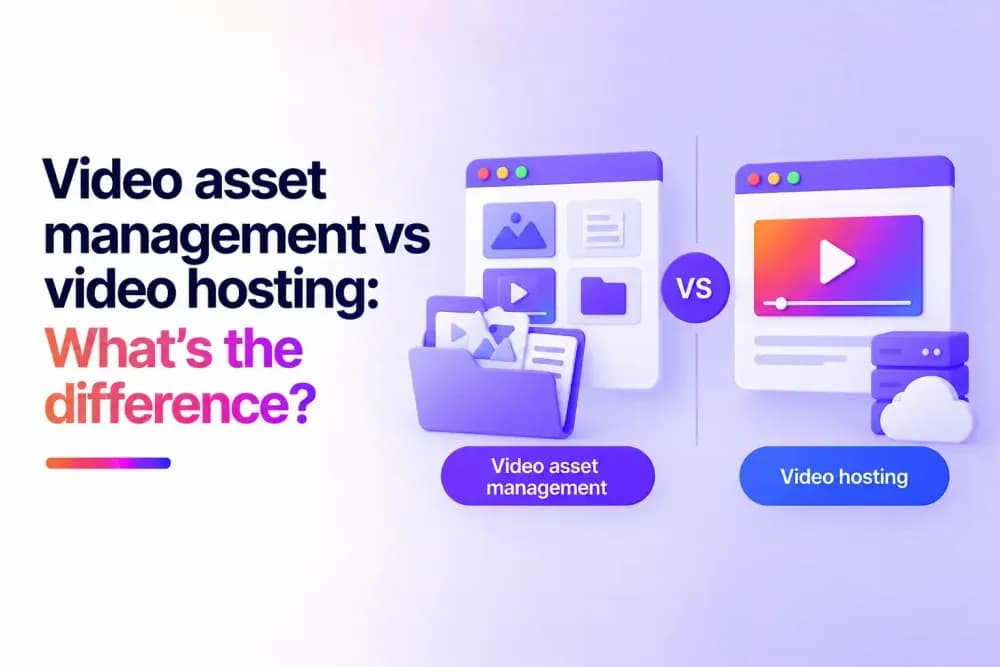
Video asset management helps businesses organise, find, manage, and reuse video throughout its lifecycle. Video hosting focuses on managing and delivering finished videos to viewers. This guide explains how the two options differ, where their capabilities overlap, and when businesses may need to use video asset management, video hosting, or both.
What is video asset management?
Video asset management (VAM) is the process of organising and managing video files so teams can find, work with, track, and reuse them efficiently before they reach video hosting and distribution.
A video asset management system creates a central environment for video assets and the information associated with them. These assets can include raw footage, working files, different edits, approved versions, and finished content.
VAM is particularly useful when several people or departments work with the same video assets. It gives teams a structured way to find the right content, understand its status, and manage it as it moves through production and future use.
Is video asset management the same as DAM or MAM?
Video asset management, digital asset management (DAM), and media asset management (MAM) have overlapping functions, but the terms describe different areas of managing assets.
Video asset management focuses specifically on video. VAM systems may provide capabilities designed around large video files, production workflows, versions, time-based metadata, and connections with editing software.
Digital asset management generally covers a broader collection of business assets. A DAM library might contain images, documents, presentations, brand files, graphics, audio, and video.
Media asset management is commonly associated with rich media such as video, audio, and images. MAM systems are widely used in media production and can support complex processing, editing, metadata, and distribution workflows.
These categories are not standardised across every provider. A DAM platform may have extensive video capabilities, while a MAM or VAM product may offer functions normally associated with another category. Businesses should therefore compare the workflows and capabilities of individual systems when evaluating their options.
What's the difference between video asset management and video hosting?
The main difference between VAM and video hosting is their role in the video lifecycle. Video asset management primarily helps teams manage video as an organisational asset. Video hosting provides the infrastructure and tools required to publish and deliver video to viewers. The two categories can overlap. The important distinction is the part of the video workflow each system is designed to manage.
| Area | Video asset management | Video hosting |
|---|---|---|
| Primary purpose | Manage video assets and workflows | Deliver videos to viewers |
| Typical content | Raw footage, working files, masters, versions, and finished videos | Primarily videos prepared for viewing |
| Organisation | Metadata, search, cataloguing, and asset relationships | Libraries, folders, tags, and video management |
| Production workflows | Can support editing, review, approval, and version management | Usually focused on content after production |
| Playback | May provide previews or playback | Designed for reliable viewer playback |
| Distribution | May connect assets to downstream systems | Supports publishing, sharing, and embedding |
| Data | Asset metadata and workflow information | Viewer and engagement analytics |
| Typical users | Production, creative, archive, and media teams | Marketing, training, communications, sales, and digital teams |
What does video asset management software do?
Video asset management software helps businesses maintain information and workflows around video files as those assets move through their lifecycle.
A production team may create dozens of files for one finished video. There could be original footage, graphics, audio tracks, rough cuts, subtitled versions, regional edits, and an approved master. Keeping those assets connected becomes increasingly difficult as production volume grows.
VAM software can create a structured record around each asset. Metadata can identify a video's project, owner, production date, language, rights information, approval status, or other relevant attributes. Search tools then allow teams to retrieve assets using this information.
Version management helps teams identify which edit is current and which files have been superseded. Integrations with production tools can also support workflows involving editors, producers, reviewers, and other teams.
These capabilities become valuable when businesses need to manage the production history, status, relationships, and future reuse of their video assets.
How do videos move from asset management to hosting?
Video asset management and video hosting can operate at different stages of the same workflow. A video can move from production and asset management into hosting once it is approved for an audience.
A typical process might look like this:
- Creation. A production team records footage and creates the files required for a video project.
- Asset management. Source footage, graphics, audio, edits, and associated metadata are organised and maintained.
- Review and approval. Teams review versions until a final video is approved for publication.
- Hosting. The approved video is added to a video hosting platform.
- Distribution. The video is embedded, shared, or published to the required destinations.
- Viewing and measurement. Audiences watch the video, and the hosting platform records relevant playback and engagement data.
The systems involved can vary considerably between organisations. A simple production workflow may require only a few tools, while large media operations can have specialist systems handling different stages.
Can video hosting platforms manage video assets?
Video hosting platforms can provide asset-management capabilities for videos held within their libraries. The extent of those capabilities depends on the platform.
For teams primarily working with finished business videos, features such as folders, tags, metadata, search, permissions, and centralised management can cover many everyday organisational requirements.
Cinema8's video library, for example, provides a central environment for hosted videos with tagging, metadata, search, access controls, and library management. Teams can organise content and make videos easier to find while managing their hosted library.
These capabilities do not make every video hosting platform a dedicated VAM system. A production organisation may require deeper functionality around source footage, editing integrations, complex version histories, rights management, or production workflow orchestration. The level of asset management required therefore depends on the complexity of the video operation and the types of files teams need to manage.
When does a business need a dedicated video asset management system?
A dedicated video asset management system becomes useful when the complexity of the assets and production workflow exceeds what a normal hosted video library is designed to manage.
Common signs include:
- Large volumes of source footage. Teams regularly need to locate individual clips and production files across a substantial archive.
- Frequent asset reuse. Existing footage is repeatedly repurposed for new campaigns, programmes, regional versions, or other projects.
- Complex version histories. Multiple edits, masters, language versions, and production variants need to remain clearly connected.
- Detailed rights information. Teams need to know where, when, and how particular assets can be used.
- Multi-stage production workflows. Videos pass through editors, producers, reviewers, compliance teams, and approvers before release.
- Specialist production integrations. Editing, processing, archive, or other media systems need to exchange assets as part of an established workflow.
- Large production teams. Many people need to discover and work with the same media without creating duplicate or disconnected libraries.
A business with several of these requirements may benefit from dedicated video asset management software even if it already uses a video hosting platform.
When is a video hosting platform enough?
Video hosting may be enough when an organisation mainly works with approved or finished videos. Production might happen elsewhere, with the hosting platform becoming the central environment once content is ready for an audience.
This can suit a marketing team receiving final campaign videos from an agency, a training team publishing completed learning content, or an internal communications team managing approved company videos.
These teams may still need to organise, search, secure, update, publish, and measure their videos. A video hosting platform with suitable library-management capabilities can handle all of these requirements without adding a separate VAM system.
Cinema8 combines secure video hosting with a central video library and tools for managing, publishing, securing, and measuring business video. This makes it suited to workflows centred on finished content and its delivery to viewers.
Can businesses use video asset management and video hosting together?
Businesses can use video asset management and video hosting together when they need detailed production management as well as audience delivery. The VAM system can remain the central record for production assets. Editors and creative teams can use it to locate footage, manage versions, maintain metadata, and prepare approved content.
Once a video is approved, the finished version can move to the hosting platform for publication. The hosting platform then handles delivery, playback, access, embeds, and viewer analytics. Updates can follow the same route. A team can create and approve a new version through its asset-management workflow before updating the video used for audience delivery.
This setup can be particularly useful for organisations with complex production operations and a separate requirement to distribute finished content at scale.
Choosing between video asset management and video hosting
When choosing between video asset management and video hosting, start with the part of your video workflow that needs managing. If the challenge lies in handling source footage, production versions, rights information, and creative workflows, dedicated video asset management may be appropriate.
If your videos are primarily ready for publication and the challenge is managing, securing, delivering, and measuring them, a video hosting platform may cover the workflow without a separate VAM system.
Cinema8 provides secure video hosting alongside tools for organising, managing, sharing, and measuring business video. Start hosting your videos or book a demo to see how Cinema8 can support your video library and delivery workflow.