
Private video hosting for teams
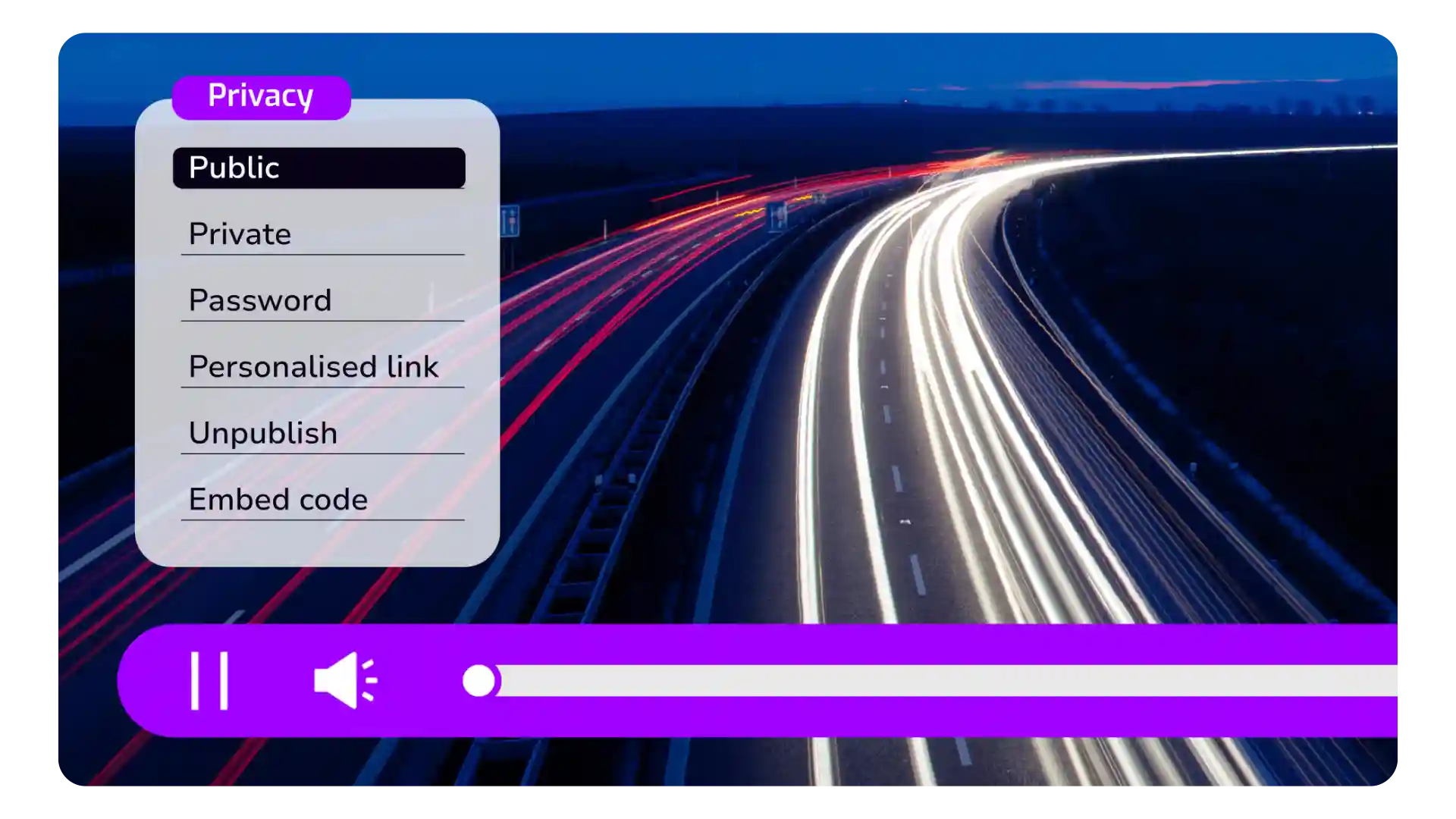
Cinema8’s video hosting platform allows teams to store and share video content privately and securely within defined groups. Videos are hosted in a central library with controlled access, ensuring only authorised team members can view sensitive or internal content. With managed permissions and viewing insights, organisations can keep communication secure while maintaining clarity and consistency across departments or project teams.
Trusted by leading brands around the world


















Cinema8’s video hosting platform enables organisations to host videos privately for teams that require controlled access. Internal updates, project walkthroughs, training materials, or confidential briefings can be stored in a central library with clearly defined permissions. Teams can manage who can view each video, ensuring sensitive information remains restricted to the right audience. By hosting videos in a private environment, organisations maintain security and oversight while keeping collaboration and communication efficient.
How to host and share videos privately within teams
Upload videos, define access permissions, and share securely with specific teams or project groups.
Upload videos to Cinema8’s hosting platform and organise them within a central library. Content can be grouped to maintain structure and clarity.
Set viewing permissions to control who can access each video, restricting content to defined teams or individuals and ensuring sensitive information is only visible to authorised viewers.
Share videos through secure hosted links within your organisation. Monitor viewing activity to confirm access while keeping content protected within a private environment.
Why use Cinema8 for private video hosting for teams?
Cinema8 allows organisations to keep team video content secure without sacrificing accessibility or structure. Instead of relying on open links or unmanaged file sharing, teams can control who views each video and organise content by department or project. This ensures sensitive updates, internal discussions, or confidential materials remain restricted to the right audience while still supporting efficient collaboration across teams.
How Cinema8 improves private video hosting for teams

Control access to sensitive team video content
Organise private videos by department or project
Maintain oversight with viewing data and permissions
Host sensitive project walkthroughs, roadmap discussions, investor updates, or executive briefings in a private environment. Restrict access to specific teams so only authorised members can view confidential updates.
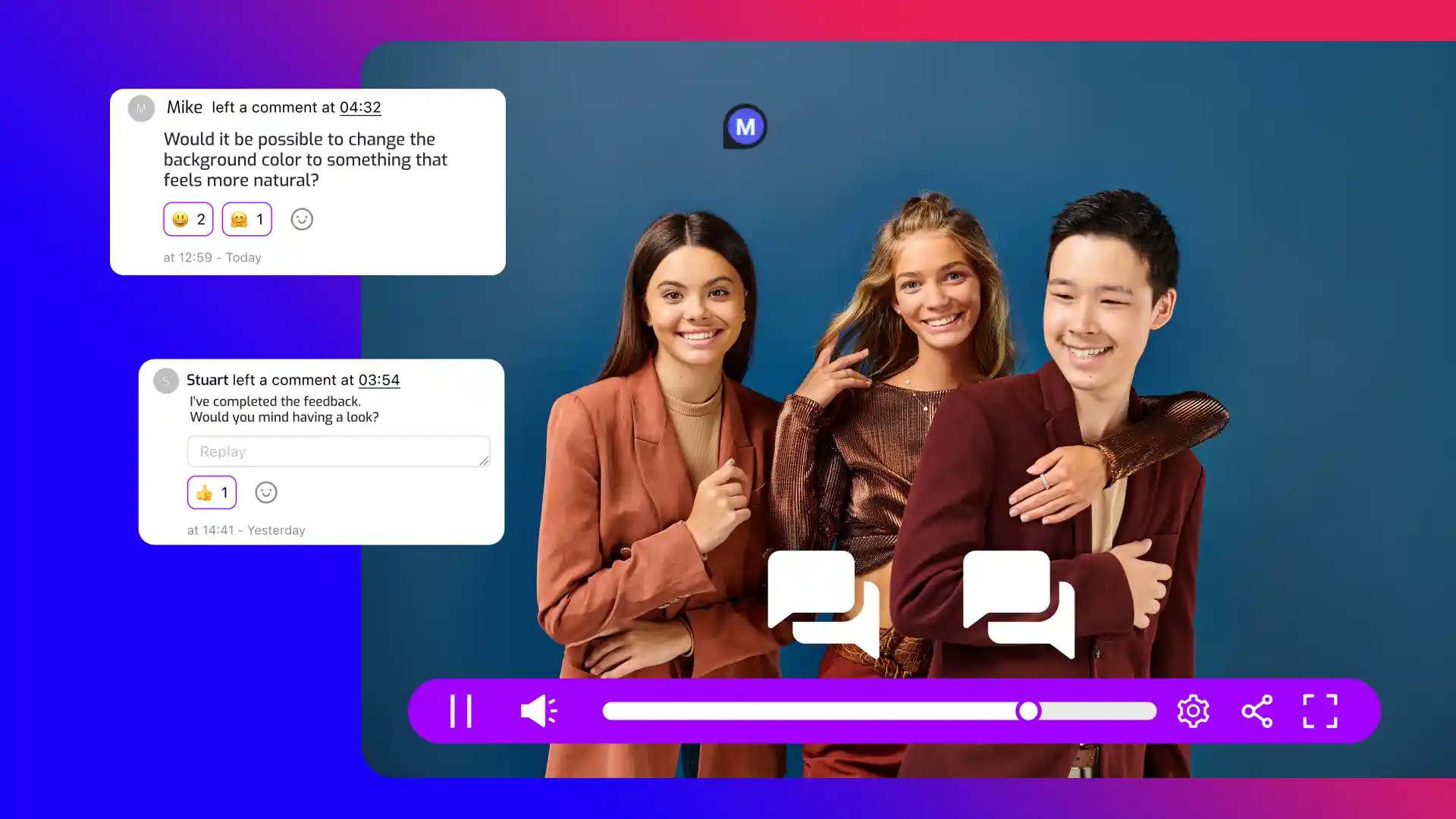
Enable teams to leave on-canvas and time-stamped comments directly on private videos. This allows reviewers to provide precise feedback within the video frame while keeping discussions contained inside a secure team environment.
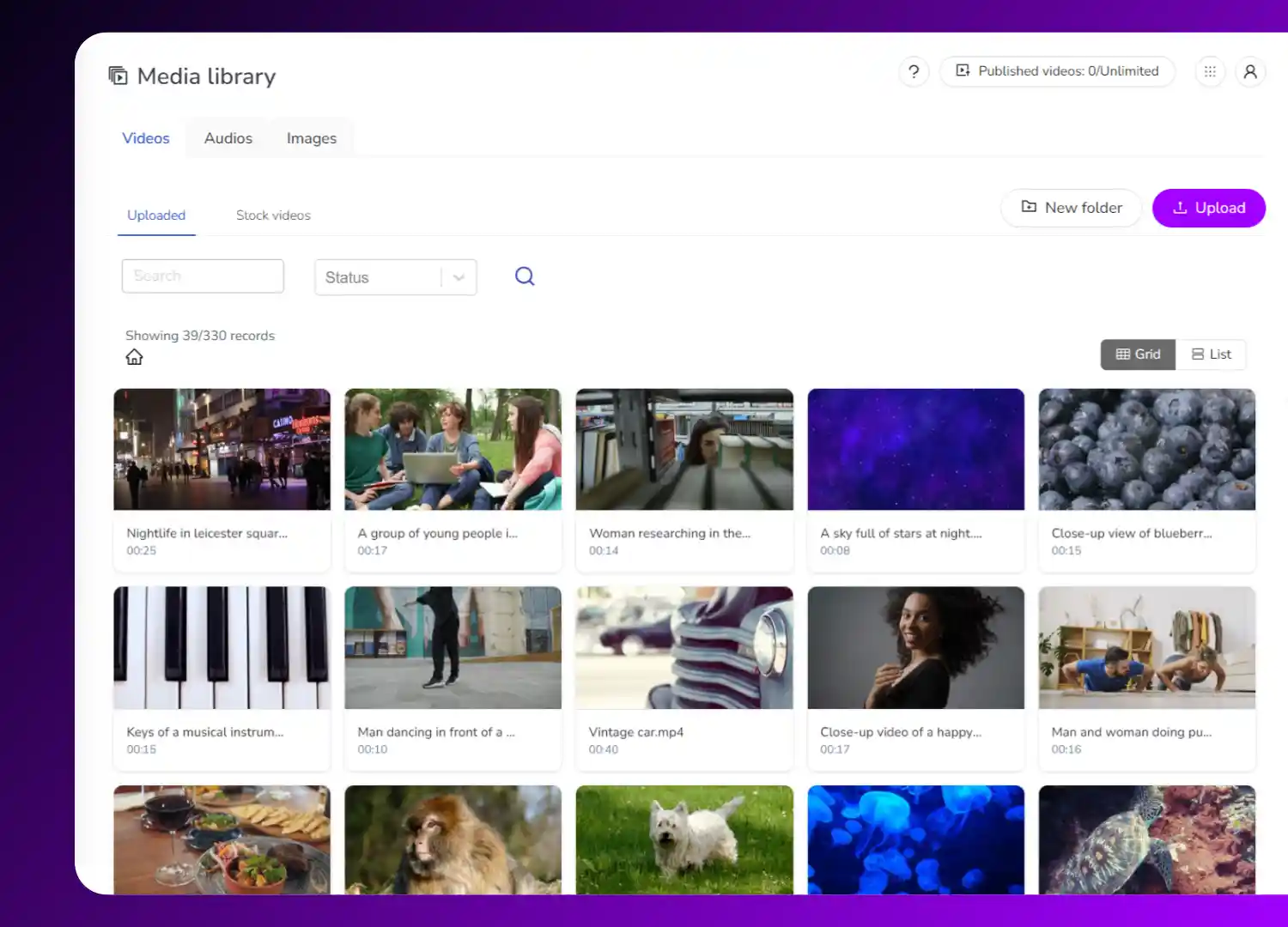
Store internal training or enablement videos in a private team library. Organise content by department or role, ensuring materials remain accessible to the right employees without public exposure.
See why teams use Cinema8 to host private video content securely.
During travel restrictions, Cinema8 proved valuable as a tool. Its platform offered straightforward yet complete tools, allowing us to give virtual demonstrations of our solutions in a secure and efficient way.
Jay Yalung
Art Director, Marketing and E-Commerce / Leica Geosystems
Cinema8 software engaged and motivated students with 360-degree videos at the Tate Gallery, featuring past student projects. Staff support was responsive and helpful with training. A valuable tool for educational institutions.
Chi-Ming Tan
Unit Lead Lecturer LCCA / London College of Contemporary Arts
Cinema8 has been instrumental in compiling all of the videos for a research project on employment for the blind or visually impaired, by offering an easy-to-use web-based platform for building Interactive Videos.
Sarah Moody
Communications Coordinator / Mississippi State University
Cinema8 was chosen for its ease of use and ability to create interactive videos through an intuitive interface. The team received great support and reasonable pricing. leading to a renewal of their partnership. Cinema8's support helped them meet project deadlines.
Michel Sohel
Media Consultant / Eastern Michigan University
Starter
$12
per month billed annually
Everything in Free, plus:
- Lead gen forms with CRM/email integration
- 360 degree interactive video support
- Unlimited screen recording
- Customisable video player
- 1TB bandwidth
Recommended
Pro
$24
per month billed annually
Everything in Starter, plus:
- Sticky hotspots for moving objects
- AI chaptering + SEO metadata
- AI-powered speech search
- Video heatmaps + advanced reports
- 2TB bandwidth
Pro Plus
$84
per month billed annually
Everything in Pro, plus:
- FTP upload for video libraries
- Webhook-based event notifications
- Domain restriction
- Priority + dedicated support
- Unlimited seats