Interactive video for sales outreach
Cinema8’s video hosting platform includes interactive video tools that help sales teams increase outreach engagement with personalised, action-driven video. Record or upload sales videos and add clickable CTAs, booking links, or response prompts directly inside the video. With built-in engagement tracking, sales teams can see who watched, where attention held, and when to follow up, turning video outreach into measurable pipeline activity.
Trusted by leading brands around the world


















Cinema8’s interactive video tools allow sales teams to turn outreach videos into action-driven experiences. Instead of sending standard video recordings, teams can embed clickable CTAs, calendar booking links, and response prompts directly inside the video. Each interaction is tracked, giving sales teams visibility into who watched, how long they engaged, and when interest is strongest. By combining personalised video with measurable engagement, outreach becomes more focused, timely, and conversion-oriented.
How to use interactive video in sales outreach
Create personalised sales videos, add conversion-focused CTAs, and track engagement to prioritise follow-up effectively.
Record or upload a personalised outreach video for your prospect. Tailor the message to their company, role, or specific challenge to increase relevance and response rates.
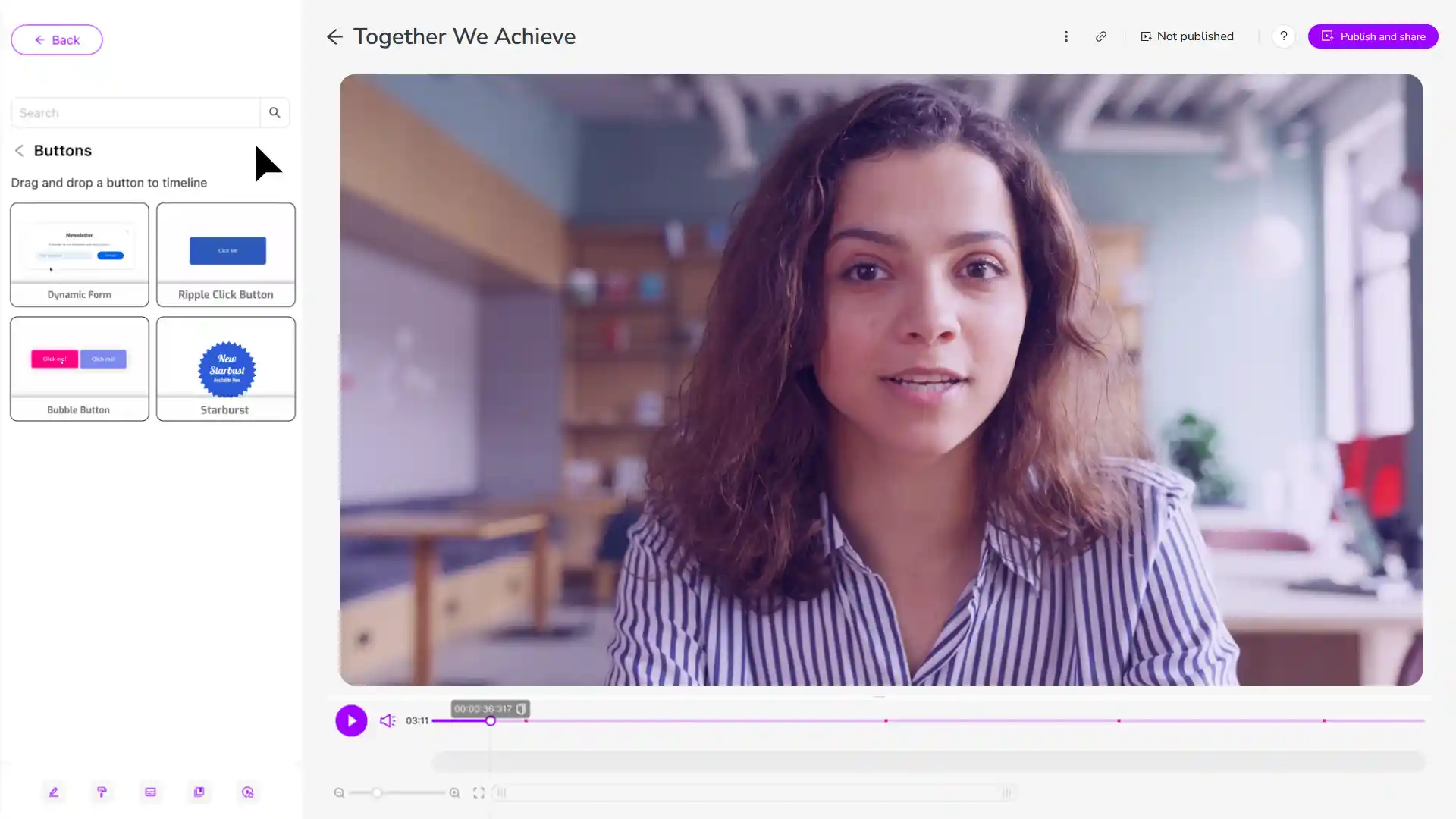
Add interactive elements such as a “Book a meeting” button, calendar link, or reply prompt directly inside the video. Keep CTAs clear and focused.
Share the interactive video with your prospect and monitor engagement data. Use insights on watch time and clicks to follow up at the right moment with greater context.
Why use Cinema8 for interactive sales outreach?
Cinema8 enables sales teams to improve outreach by embedding clear next steps directly inside personalised videos. Instead of relying on follow-up emails alone, prospects can respond, book meetings, or take action within the video itself, streamlining the process. Engagement tracking provides visibility into viewer behaviour, helping sales teams prioritise follow-up and focus efforts where interest is strongest.
How Cinema8 improves sales outreach with interactive video

Embed meeting booking links directly inside outreach videos
Track viewer engagement to prioritise follow-up timing
Increase response rates with clear in-video calls to action
Send personalised outreach videos with an embedded “Book a meeting” button or calendar link for interactive lead generation. Prospects can schedule directly from within the video, reducing friction within sales workflows and shortening the path from first touch to booked call.

Share recap videos with interactive next steps such as proposal links or follow-up booking options. This keeps momentum after calls and makes it easier for prospects to move forward without waiting for additional emails.
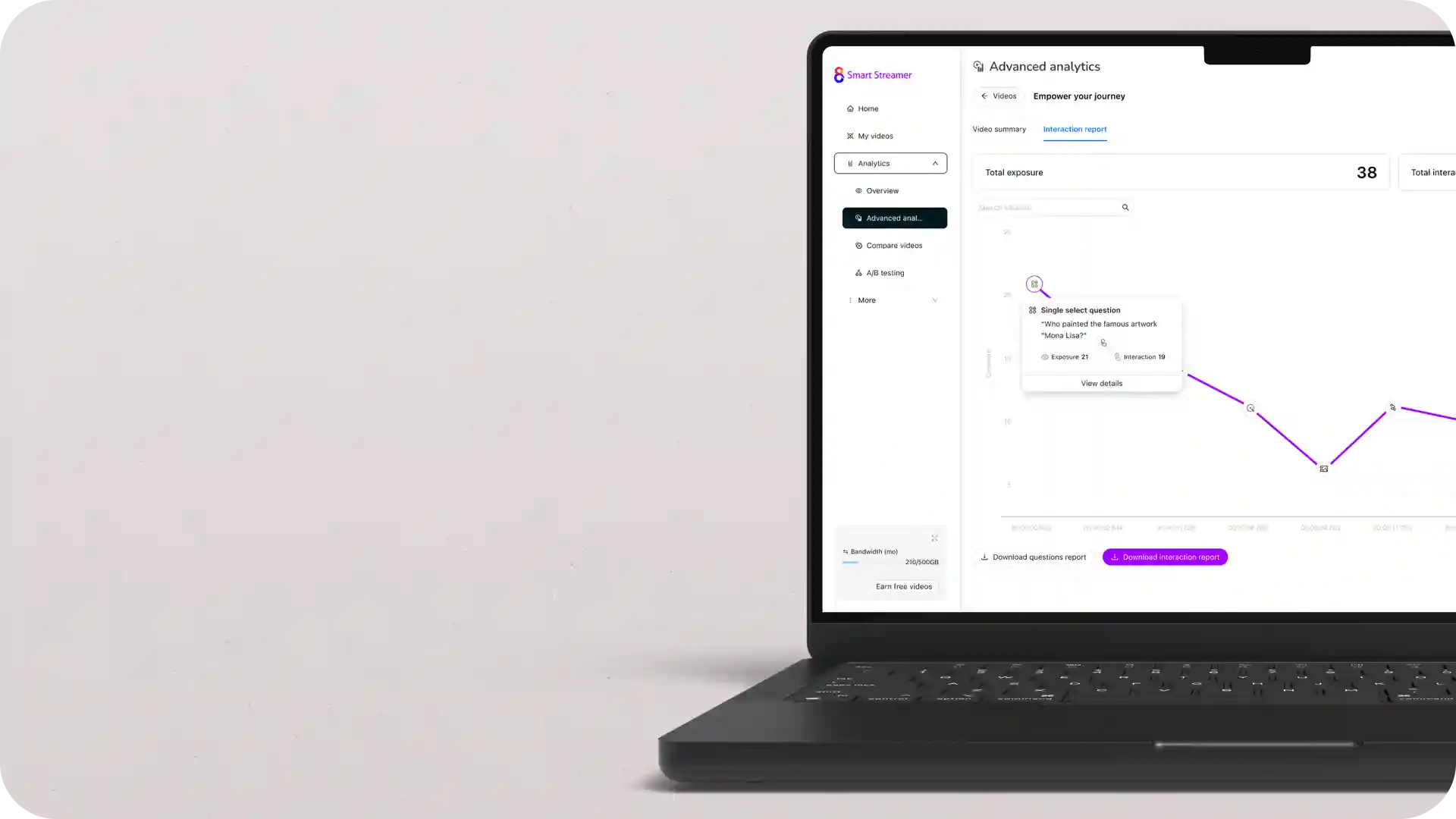
Use engagement tracking to identify which prospects watched the full video or clicked a CTA. Sales teams can prioritise follow-up based on real interest signals and where prospects are in the sales funnel.
Discover why sales teams use Cinema8 to turn video outreach into measurable pipeline activity.
During travel restrictions, Cinema8 proved valuable as a tool. Its platform offered straightforward yet complete tools, allowing us to give virtual demonstrations of our solutions in a secure and efficient way.
Jay Yalung
Art Director, Marketing and E-Commerce / Leica Geosystems
Cinema8 software engaged and motivated students with 360-degree videos at the Tate Gallery, featuring past student projects. Staff support was responsive and helpful with training. A valuable tool for educational institutions.
Chi-Ming Tan
Unit Lead Lecturer LCCA / London College of Contemporary Arts
Cinema8 has been instrumental in compiling all of the videos for a research project on employment for the blind or visually impaired, by offering an easy-to-use web-based platform for building Interactive Videos.
Sarah Moody
Communications Coordinator / Mississippi State University
Cinema8 was chosen for its ease of use and ability to create interactive videos through an intuitive interface. The team received great support and reasonable pricing. leading to a renewal of their partnership. Cinema8's support helped them meet project deadlines.
Michel Sohel
Media Consultant / Eastern Michigan University
Starter
$12
per month billed annually
Everything in Free, plus:
- Lead gen forms with CRM/email integration
- 360 degree interactive video support
- Unlimited screen recording
- Customisable video player
- 1TB bandwidth
Recommended
Pro
$24
per month billed annually
Everything in Starter, plus:
- Sticky hotspots for moving objects
- AI chaptering + SEO metadata
- AI-powered speech search
- Video heatmaps + advanced reports
- 2TB bandwidth
Pro Plus
$84
per month billed annually
Everything in Pro, plus:
- FTP upload for video libraries
- Webhook-based event notifications
- Domain restriction
- Priority + dedicated support
- Unlimited seats