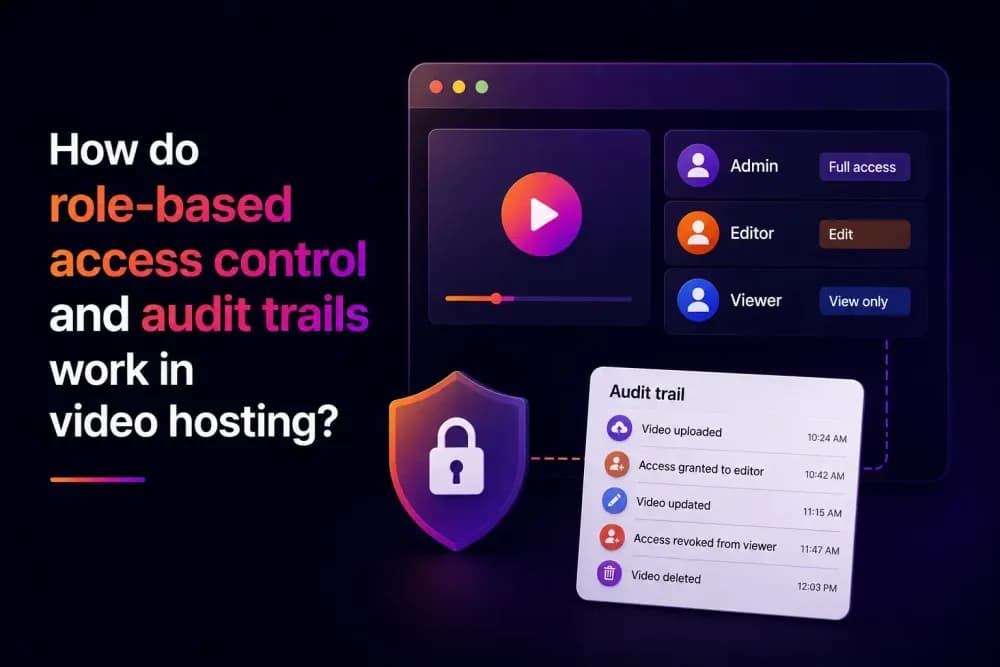
Role-based access control assigns specific permissions to a user's role within a video hosting platform. This controls what a team member can edit, publish, or manage inside the account. An audit trail typically comes from a combination of authentication and analytics, tracking who accessed content and when. This article covers how both work, and when a business needs them.
What is role-based access control in video hosting?
Role-based access control in video hosting assigns permissions to a role, then assigns that role to a team member. A team can create a role like Video Editor once and apply it to everyone who needs the same access. In video hosting, this governs what a team member can do inside the platform itself, such as uploading, editing, publishing, or managing settings. It's a different layer from viewer-facing permissions, which control which videos an external audience is allowed to watch. Cinema8, a secure video hosting platform, builds this into its account management tools.
Without role-based access control, most teams default to one of two problems. Either everyone shares the same login with full access, so nobody can be individually accountable for a change, or every person gets a separate account with the same broad permissions, so the risk is the same, just spread across more logins. Role-based access control fixes both by tying permission to job function, so accountability stays clear even as people join or leave and security standards are maintained.
How does Cinema8's role-based access control work?
Cinema8's role-based access control starts with individual permissions. Each permission is created separately, with a name, a description, and an active or inactive status, defining one specific action, such as managing projects or creating story flows. Permissions can be defined at this level of specificity, rather than only as broad, bundled categories.
These permissions are then assigned to roles under a separate Security Roles tab. A team creates a role, gives it a name, and selects the relevant permissions from a dropdown, so each role is built from scratch to match how that team works day to day. This makes it possible to create a role that can edit videos but not delete them, or manage one folder within a library. A business with a video editor, a compliance reviewer, and a channel manager can give each one exactly the access their job needs.
Existing permissions and roles can also be edited or deleted later, using the same interface, so a role doesn't need to be recreated from scratch if a team's structure changes. A business that starts with a single broad Editor role can split it into more specific roles later, once it's clear which permissions different people use day to day.
API keys inherit the permissions of whichever user generated them, so integrations built through Cinema8's API follow the same access rules as the person who created the key. For businesses connecting Cinema8 to a CRM or LMS, the integration itself is bound by the same role-based limits as a human user would be. Cinema8 recommends assigning permissions by job function and reviewing them periodically as a team grows, since a role that made sense for a five-person team can become too broad once that team reaches twenty.
What produces an audit trail in video hosting, and what does it prove?
An audit trail, the kind compliance teams rely on, is a reviewable record of who accessed specific content, and when. In video hosting, this typically comes from a few things working together: authentication that ties a viewer to a verified identity, engagement tracking that logs when and how they watched, and any data captured directly, through an in-video form, for example.
Cinema8 supports each of these individually. SSO ties video access to a verified identity from a business's own identity provider, so a viewer isn't anonymous once authenticated. Analytics track engagement, watch time, drop-off, device, and location. In-video forms can capture a viewer's name and contact details directly within the content itself. Together, these give a business a reviewable record of who watched what.
The record has to exist before it's needed, not get reconstructed after the fact. A regulator or auditor asking who accessed a specific piece of training or compliance content wants a documented answer, not a best guess pieced together from memory. A business that only realises it needs this kind of record once it's been asked for one is usually already too late to produce it convincingly.
Access permissions vs basic password protection: what's the difference?
Basic password protection controls who can view a specific video, a single barrier applied at the content level. Role-based access control operates at the account level, governing what a team member can do across the entire platform.
A business can use both at once, and most businesses handling any sensitive content end up needing to. Password protection stops an outside viewer from watching a gated video. Role-based access control stops a junior team member from deleting the video in the first place, or changing its access settings without approval.
The two also fail differently. A weak or leaked password compromises a single video, since that's the level it operates at. A role with excessive permissions compromises everything that role can touch, which might be an entire folder, channel, or library, depending on how broadly the role was defined. That's why Cinema8 recommends reviewing permissions periodically; a role built for three people can quietly become a much bigger liability once it's applied to thirty.
Who needs role-based access control for video hosting?
A small team where everyone has full access rarely needs formal role-based access control. Two or three people sharing one account can usually resolve access questions with a quick message, and the risk of an accidental change is low simply because there's less to accidentally change.
The need shows up once a video library has multiple contributors, an admin, editors, and viewers, each of whom shouldn't have the same level of access. Businesses in regulated industries, or those handling sensitive internal content, typically need both role-based access control and a reliable audit trail together, one to prevent unauthorised changes, the other to show who accessed content and when. Growing teams publishing across multiple departments hit this need earlier than they expect, often around the same point they'd need an enterprise video portal to manage viewer-facing access too.
What should you check before relying on role-based access control?
The clearest sign a business needs role-based access control is more than one person managing the same video library, since shared logins and identical access for everyone create risk that grows with the team. A role controls who can make changes from this point forward. An audit trail, built from authentication and analytics, answers a different question, who accessed specific content, and when, once that question needs answering after the fact.
Cinema8 pairs role-based access control with SSO, tying access to a team's existing identity provider. Explore Cinema8's security features to see how permissions, roles, and viewer-level tracking work together.