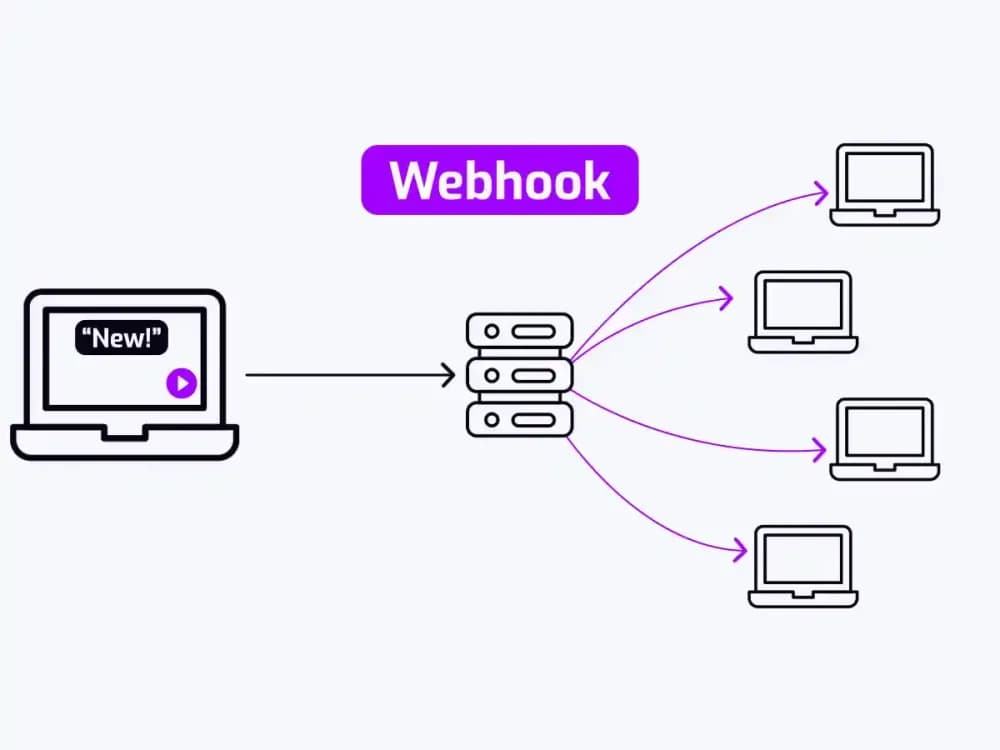
To use webhooks in video hosting, register an HTTPS endpoint on your server and tell your video platform to send a POST request whenever a specific event occurs. The platform pushes data the moment it happens, so every downstream tool acts on accurate, real-time information without manual intervention or constant polling. The guide below covers webhooks in detail and how to use them in video hosting workflows.
What are webhooks in video hosting?
A webhook is an event-driven HTTP callback. When something happens on your video hosting platform, it immediately sends a POST request containing event data to a URL you control. You define the URL, subscribe to the events you care about, and the platform does the rest.
The alternative is polling, where your server repeatedly asks "is the encoding done yet?" on a fixed timer. Think of a webhook as a doorbell: your server only responds when something actually happens, rather than sending someone to check every 60 seconds to see whether a visitor has arrived. At scale, that means fewer wasted API calls, lower latency, and downstream tools that always act on current data.
A capable video hosting platform can fire events for upload completion, encoding finished, playback started, watch percentage milestones, chapter markers triggered, and in-video forms submitted. Each event carries a structured JSON payload with the context your downstream systems need, so producers, LMS administrators, and developers can all act on these signals without writing polling logic.
Why do video workflows break without event-driven automation?
The typical manual video workflow goes like this: a producer uploads a file, waits an estimated amount of time, checks the dashboard to confirm encoding, and then manually triggers whatever comes next. Every handoff is a potential delay or error, which is why knowing how to use webhooks in video hosting prevents these breakdowns.
Three failure patterns show up consistently:
The first failure is that a video gets published before encoding finishes. The page goes live, a viewer clicks play, and they hit an error. This happens when a CMS auto-publish job runs on a schedule rather than responding to an actual encoding signal.
The second failure is a course-completion certificate firing before a learner has genuinely finished the material. When completion is tracked by time estimate rather than confirmed watch data, the certificate is based on a guess.
The third failure is when a production team's Slack channel stays silent for hours after a video lands. Nobody set up a notification tied to the upload event, so someone checks manually and the review cycle loses half a day.
Polling makes each problem worse at scale. A server checking encoding status every 60 seconds for 500 concurrent videos burns through API quota fast. Shorten the interval and the problem intensifies; lengthen it and the latency becomes unacceptable.
Which webhook event types matter most for video workflows?
A well-implemented webhook system covers a specific set of events. The table below maps each event to its trigger and its most useful downstream action in a video hosting workflow.
| Event | What fires it | Most useful downstream action |
|---|---|---|
| upload_complete | Raw file lands on the platform | Log receipt, trigger pre-processing checks |
| encoding_finished | All renditions processed | Auto-publish to CMS, notify team on Slack |
| playback_started | Viewer presses play | Log to analytics pipeline, update CRM activity |
| watch_percentage_reached | Viewer hits 25/50/80/100% | Enable LMS module, trigger follow-up sequence |
| chapter_reached | Viewer enters a named chapter | Branch content delivery, fire chapter analytics |
| form_submitted | In-video form completed | Push to CRM, trigger email sequence |
Before moving to setup, it is worth checking whether your current platform supports all six event types, fires them server-side, and includes a payload signature. If the answer to any of these is no, the sections below cover what to look for.
upload_complete and encoding_finished are two separate events. upload_complete fires the moment the raw file lands on storage. encoding_finished fires only after all renditions are processed and the video is actually watchable. The correct trigger for auto-publishing video content is always encoding_finished, whose payload contains the video ID, duration, available renditions, and a preview URL.
watch_percentage_reached is the highest-value event for training workflows. When a learner hits the 80% threshold, the platform fires a webhook carrying the learner ID, video ID, and timestamp. A connected workflow can immediately call the LMS API to mark the learning object complete without manual grading.
How to set up and configure a webhook endpoint
Setting up a webhook endpoint in a video hosting platform follows a straightforward five-step process. Each step builds on the last, and skipping any one of them is a common cause of failed deliveries in production.
Start by creating a publicly accessible HTTPS endpoint. For non-developer teams, tools like Zapier, Make, or n8n provide a webhook URL with no server setup required. For teams with specific processing requirements, a dedicated microservice or serverless function is the better choice.
Next, navigate to the video platform's developer or integration settings and register the endpoint URL. Subscribe only to the event types you actually need, as subscribing to everything increases payload volume and makes logs harder to read.
The platform will provide a signing secret when you register. Store it in an environment variable or secrets manager and never hardcode it in application code.
Deploy the endpoint, then test it using a real upload or the platform's built-in test payload feature. Tools like Webhook.site or ngrok work well for local development before you push to production.
One critical requirement: your endpoint must return a 200 HTTP response immediately. If your handler performs heavy processing synchronously, the platform's timeout threshold, typically 5 to 30 seconds, will expire and the delivery will be marked as failed. Return 200 on receipt and push processing work to an internal queue.
How to secure webhook payloads in a video integration
Without proper security, a publicly accessible webhook endpoint is an attack surface. HTTPS is the baseline requirement. A plain HTTP endpoint exposes payload data in transit and has no place in a production system.
Signature validation is the more important defence. The platform generates an HMAC-SHA256 hash of the payload using the shared signing secret and includes it in the request header. Your handler recomputes the hash using the same secret and compares the two values. If they don't match, reject the request. Without this check, anyone who discovers your endpoint URL can send fabricated events and trigger real actions in your workflow.
For higher-security environments, add timestamp validation and IP allowlisting to reduce the risk of replay attacks and unauthorised requests reaching your endpoint.
What do teams actually build with video workflow automation?
The following examples cover some of the most common webhook integrations teams build once event-driven video automation is in place. Each one uses a specific event type from the table above and connects to a tool most teams already have.
Notify a Slack channel when encoding finishes
When the video platform confirms all renditions are ready, it sends a POST request to a Make or Zapier webhook URL. The automation formats a Slack message containing the video title, duration, and a direct preview link, then posts it to the production team's review channel. Using encoding_finished rather than upload_complete ensures the team receives a link to a video that is actually playable.
Update a CRM record on video completion
The payload for a watch_percentage_reached event includes the viewer's email address or user ID alongside the video ID and timestamp. An n8n workflow receives the event, matches the email to a CRM contact, and updates a custom field. For sales teams, this creates a real-time signal when a prospect finishes a product demo, and the CRM can immediately create a follow-up task for the account executive. Video analytics applied to lead scoring through this method removes the need for manual data exports.
Grant access to an LMS module at the 80% watch milestone
A Make scenario receives the watch_percentage_reached event and calls the LMS REST API to mark the learning object complete and grant access to the next module. This replaces manual grading and removes dependence on legacy completion signals.
This only works reliably if the video platform fires the watch_percentage event server-side, as client-side JavaScript triggers can be blocked by browser extensions or network issues (a failure mode that is easy to miss in testing and painful to debug in production).
Webhooks vs. polling for video use cases
| Dimension | Webhooks | Polling |
|---|---|---|
| Latency | Near-zero (event fires instantly) | Depends on polling interval |
| API quota consumption | Minimal | High, proportional to frequency |
| Reliability at scale | Consistent across volume | Degrades as request volume grows |
| Implementation complexity | Moderate upfront, low ongoing | Low upfront, high ongoing maintenance |
| Real-time capability | Yes | No |
For video specifically, encoding job duration is unpredictable. A two-minute clip may encode in 30 seconds. A 90-minute training video may take 20 minutes. A polling job set to check every minute wastes 19 API calls on the long job and may still introduce a 58-second delay on the short one. This is why webhooks outperform polling for any of the workflows described in this guide.
Which tools work best with video hosting webhooks?
The right middleware that works best with video hosting webhooks depends on your team's technical resources and workflow complexity.
- Zapier suits non-developer teams best. Its visual interface and extensive app library cover most common video webhook workflows without writing code.
- Make (formerly Integromat) handles multi-step workflows with branching logic more effectively, with straightforward JSON parsing and conditional filtering built in.
- n8n is self-hostable and open-source, making it the preferred option for teams with data-residency requirements or high event volumes.
- Custom REST endpoints are necessary when the downstream system has no pre-built connector, or when processing logic warrants a dedicated service.
Does your video platform support all of this?
Not all video hosting platforms fire the full set of events covered in this guide. Some only support client-side triggers, others lack payload signing entirely, and many do not expose chapter or form submission events at all.
Cinema8 is a secure video hosting platform with native webhook support built into its workflow architecture. It fires webhooks on viewer interactions including form submissions, watch milestones, and chapter events, and supports custom parameters to define exactly what data is sent with each trigger. Endpoints are registered directly in the Cinema8 UI, and connections are secured via token-based authentication and custom request headers, ensuring only authorised systems can send or receive data.
Because Cinema8 supports in-video forms, hotspots, and embedded quizzes, it can fire chapter and form submission events that platforms without an interactivity layer cannot produce. It works with Zapier, Make, n8n, and custom REST endpoints using standard JSON payloads. Webhook depth is worth verifying early when choosing an enterprise video hosting solution, as it determines which automations are actually buildable on the platform.
Production-ready checklist
Before treating a webhook integration as production-ready, verify each item below.
- HTTPS endpoint only, no plain HTTP
- Signing secret stored in an environment variable. Not hardcoded
- Signature validation implemented and tested with a deliberately wrong secret
- Endpoint returns 200 immediately, with processing handled asynchronously
What to do next with video webhooks
The workflows in this guide, from encoding notifications to LMS completions to CRM updates, all depend on the same foundation: a video platform that fires reliable, server-side events with signed payloads. Getting that foundation right means fewer manual handoffs, more accurate downstream data, and automations that hold up at scale. The checklist above covers the minimum viable setup. The event types table covers what to build on top of it. The only remaining variable is whether your current video platform can support it. Book a demo to see how Cinema8 handles webhook configuration end to end.