Video analytics to compare performance
Cinema8's video analytics help teams compare performance and understand which videos resonate most with their audience. Cinema8 provides clear insights into watch time, completion rates, and engagement patterns across videos, campaigns, or channels. By comparing real viewing data, teams can identify stronger content, spot underperforming videos, and make informed decisions before investing time in optimisation.
Trusted by leading brands around the world


















Cinema8’s video analytics tools help marketing teams compare video performance as part of ongoing A/B testing workflows. When running multiple video versions, teams can analyse watch time, completion rates, and engagement patterns side by side to understand how each variant performs. This comparison layer makes it easier to interpret test results beyond surface-level metrics and explain outcomes clearly to stakeholders. By grounding A/B test decisions in consistent analytics, teams can confidently select winning versions and apply insights across future campaigns.
How to compare video performance with Cinema8's tools
Use consistent analytics to compare video variants, interpret A/B test results, and decide which version performs best.
Upload your videos to Cinema8 or create different versions in the editor to be published for your audience to watch. Videos are tracked automatically for detailed insight.
Utilise the analytics dashboard to see your video analytics clearly or use Cinema8's A/B testing tools for more direct video comparisons and weighting settings.
Use comparison insights to identify the stronger-performing video version and apply these findings to the videos as well as any future video ideas for optimal performance.
Why use Cinema8 to compare video performance?
Cinema8's video hosting platform gives marketing teams a clear way to compare video performance using consistent, engagement-based analytics. Instead of relying on assumptions or headline metrics alone, teams can compare how each version performs across watch time, completion, and viewer drop-off. This clarity makes it easier to justify decisions, communicate outcomes internally, and ensure that comparisons lead to meaningful improvements.
How Cinema8 improves video comparisons

Compare A/B test variants using consistent engagement metrics
Understand which video versions perform best with detailed analytics
Support rollout decisions with clear, evidence-based insights
Compare performance data from A/B-tested videos to understand which version delivers stronger engagement. Cinema8’s analytics help teams interpret results clearly and explain why one variant outperformed another.
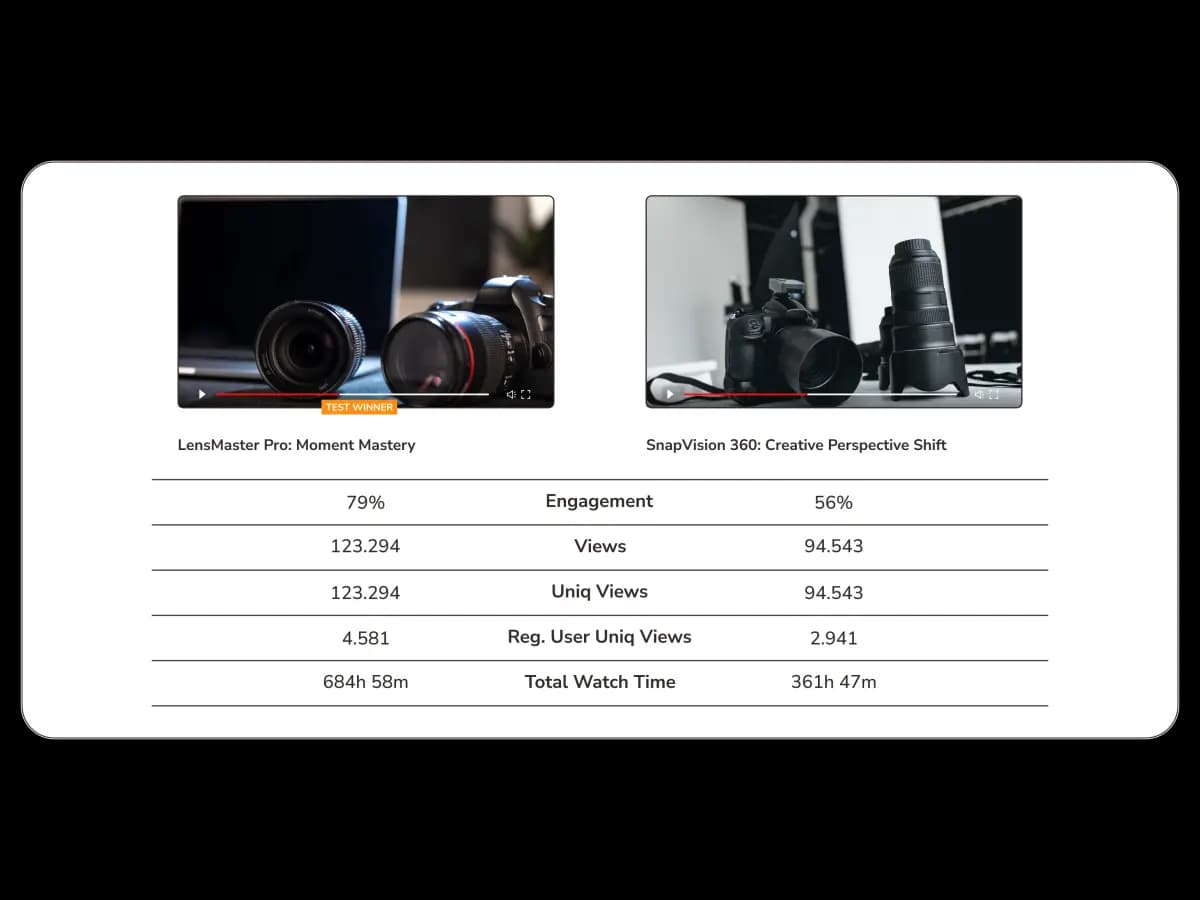
Analyse how different interactive elements, video intros, or messaging styles perform with detailed insights and direct comparison tools. Engagement comparisons reveal which creative approach resonates more effectively with your audience.
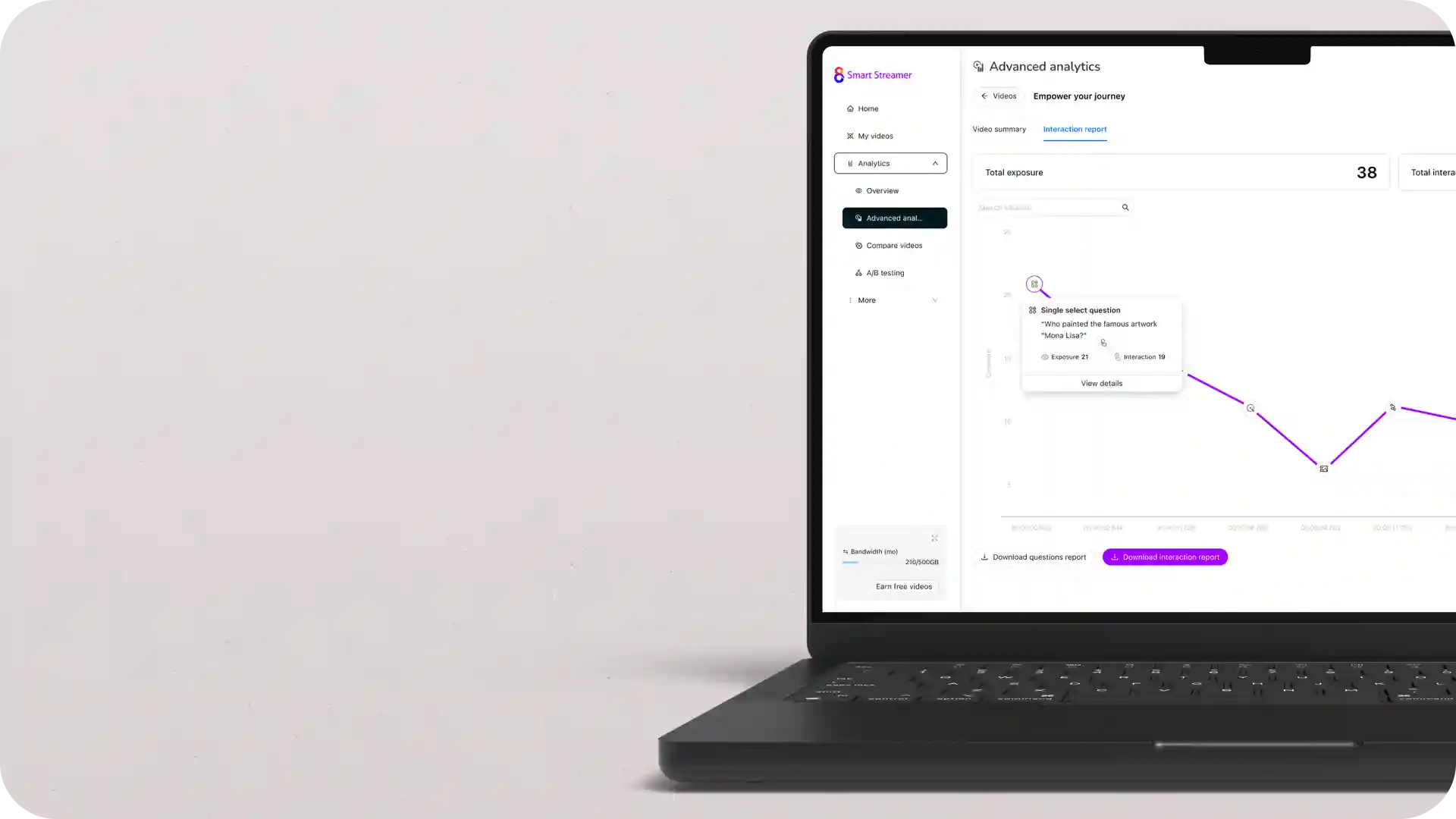
Use performance comparison data to confirm which video version should be rolled out across campaigns. Analytics-backed insights ensure you optimise content effectively and ensure optimisation decisions are grounded in measurable results.
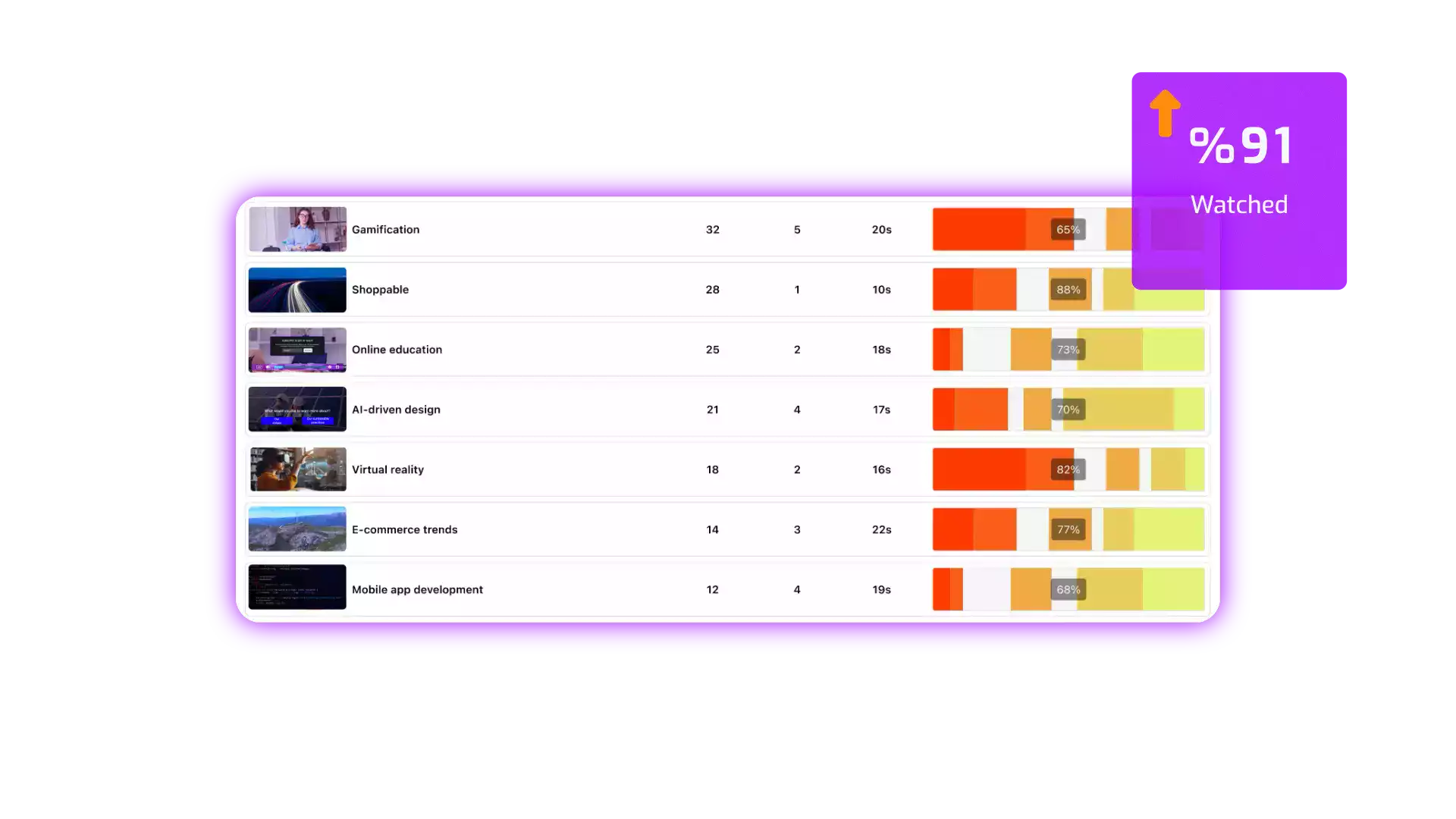
See why teams use Cinema8 analytics to compare videos with confidence.
During travel restrictions, Cinema8 proved valuable as a tool. Its platform offered straightforward yet complete tools, allowing us to give virtual demonstrations of our solutions in a secure and efficient way.
Jay Yalung
Art Director, Marketing and E-Commerce / Leica Geosystems
Cinema8 software engaged and motivated students with 360-degree videos at the Tate Gallery, featuring past student projects. Staff support was responsive and helpful with training. A valuable tool for educational institutions.
Chi-Ming Tan
Unit Lead Lecturer LCCA / London College of Contemporary Arts
Cinema8 has been instrumental in compiling all of the videos for a research project on employment for the blind or visually impaired, by offering an easy-to-use web-based platform for building Interactive Videos.
Sarah Moody
Communications Coordinator / Mississippi State University
Cinema8 was chosen for its ease of use and ability to create interactive videos through an intuitive interface. The team received great support and reasonable pricing. leading to a renewal of their partnership. Cinema8's support helped them meet project deadlines.
Michel Sohel
Media Consultant / Eastern Michigan University
Starter
$12
per month billed annually
Everything in Free, plus:
- Lead gen forms with CRM/email integration
- 360 degree interactive video support
- Unlimited screen recording
- Customisable video player
- 1TB bandwidth
Recommended
Pro
$24
per month billed annually
Everything in Starter, plus:
- Sticky hotspots for moving objects
- AI chaptering + SEO metadata
- AI-powered speech search
- Video heatmaps + advanced reports
- 2TB bandwidth
Pro Plus
$84
per month billed annually
Everything in Pro, plus:
- FTP upload for video libraries
- Webhook-based event notifications
- Domain restriction
- Priority + dedicated support
- Unlimited seats