
Interactive video for tool adoption
Interactive video for tool adoption helps organisations encourage confident, long-term use of digital tools and software. Cinema8's interactive video tools combine branching, clickable hotspots and quizzes to deliver personalised guidance, helping employees, customers and partners discover relevant features, reinforce best practices and build confidence using new technology.
Trusted by leading brands around the world


















Cinema8 helps organisations improve software and digital tool adoption through interactive video experiences that guide users beyond their first login. Introducing a new platform is only the beginning. Long-term success depends on helping employees, customers and partners understand how to use it confidently in their day-to-day work. Interactive video makes adoption more engaging by allowing viewers to explore the features most relevant to their role, access additional guidance through clickable hotspots and reinforce key workflows with quizzes. This creates a more personalised experience that encourages ongoing platform usage, reduces uncertainty and helps organisations realise greater value from their technology investments.
How to improve tool adoption with interactive video
Publish guided video experiences, personalise learning paths and reinforce software adoption through interactive engagement.
Upload your software walkthrough, feature update or product guidance video to Cinema8 and publish it so employees, customers or partners can access the latest version whenever they need support.
Use branching to guide viewers to content that matches their role, experience level or goals. Add clickable hotspots to explain key features and functionality without interrupting the flow of the video.
Include quizzes at key points to reinforce important workflows, confirm understanding and help users build confidence using new tools in their day-to-day work.
Why use Cinema8 for interactive tool adoption?
Introducing a new digital tool is only the first step. Lasting adoption depends on helping people understand how the software fits into their daily responsibilities and making it easy to explore the features most relevant to them. Cinema8's interactive video tools create more engaging software guidance through branching, clickable hotspots and quizzes that encourage participation. By helping users navigate features at their own pace and reinforcing key workflows throughout the experience, organisations can increase confidence, encourage consistent usage and maximise the value of their technology investments.
How Cinema8 improves software and tool adoption

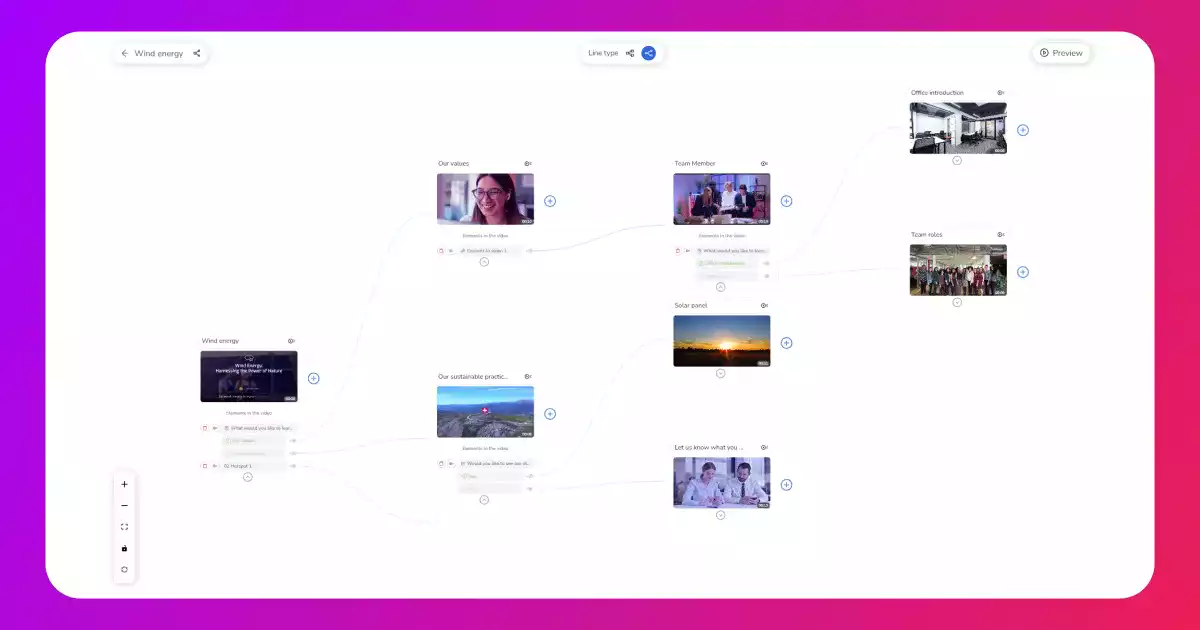
Create personalised adoption journeys with branching that directs users to the features, workflows and guidance most relevant to their role
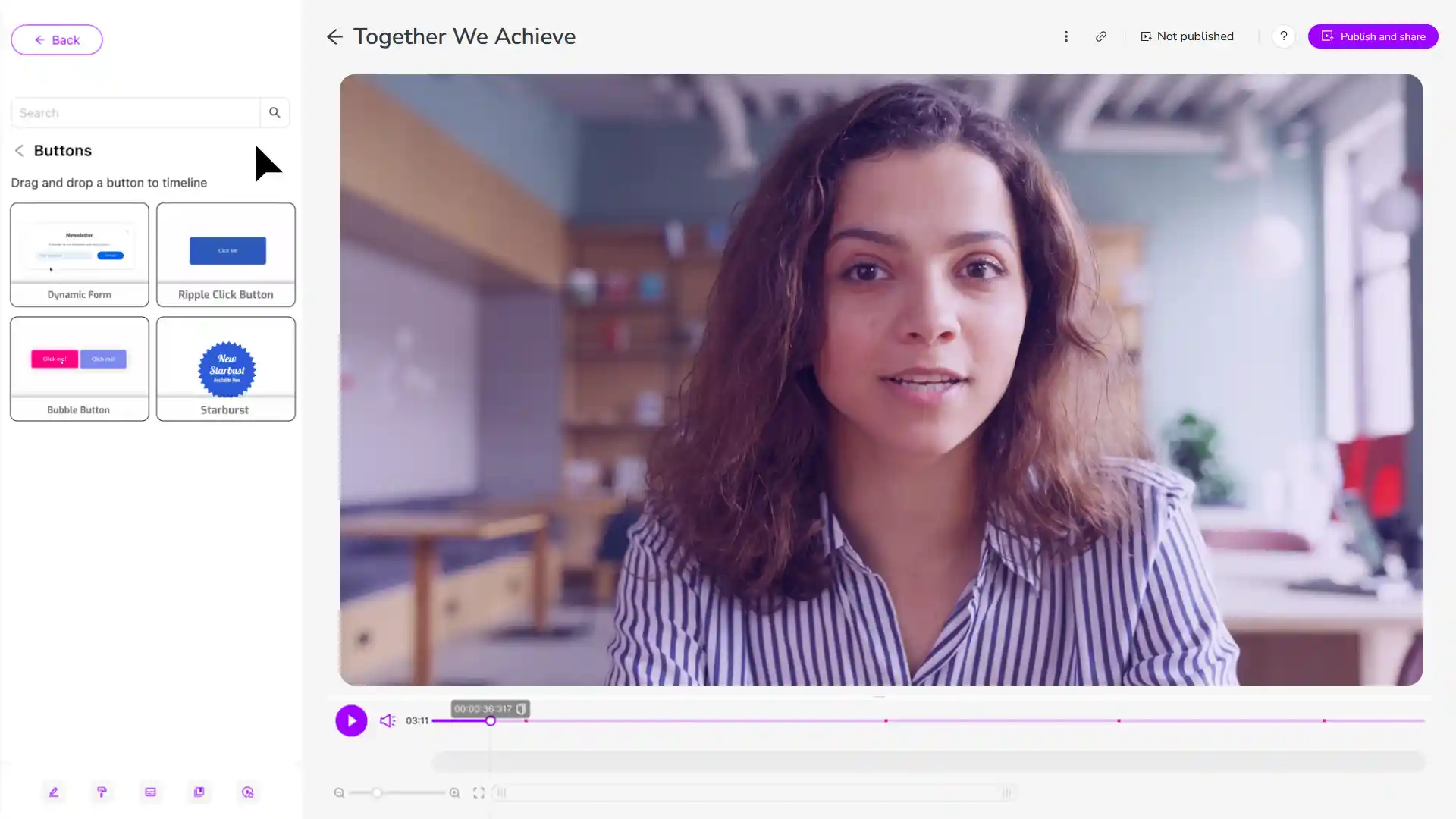
Use clickable hotspots to explain software features, highlight best practices and provide additional context without disrupting the viewing experience
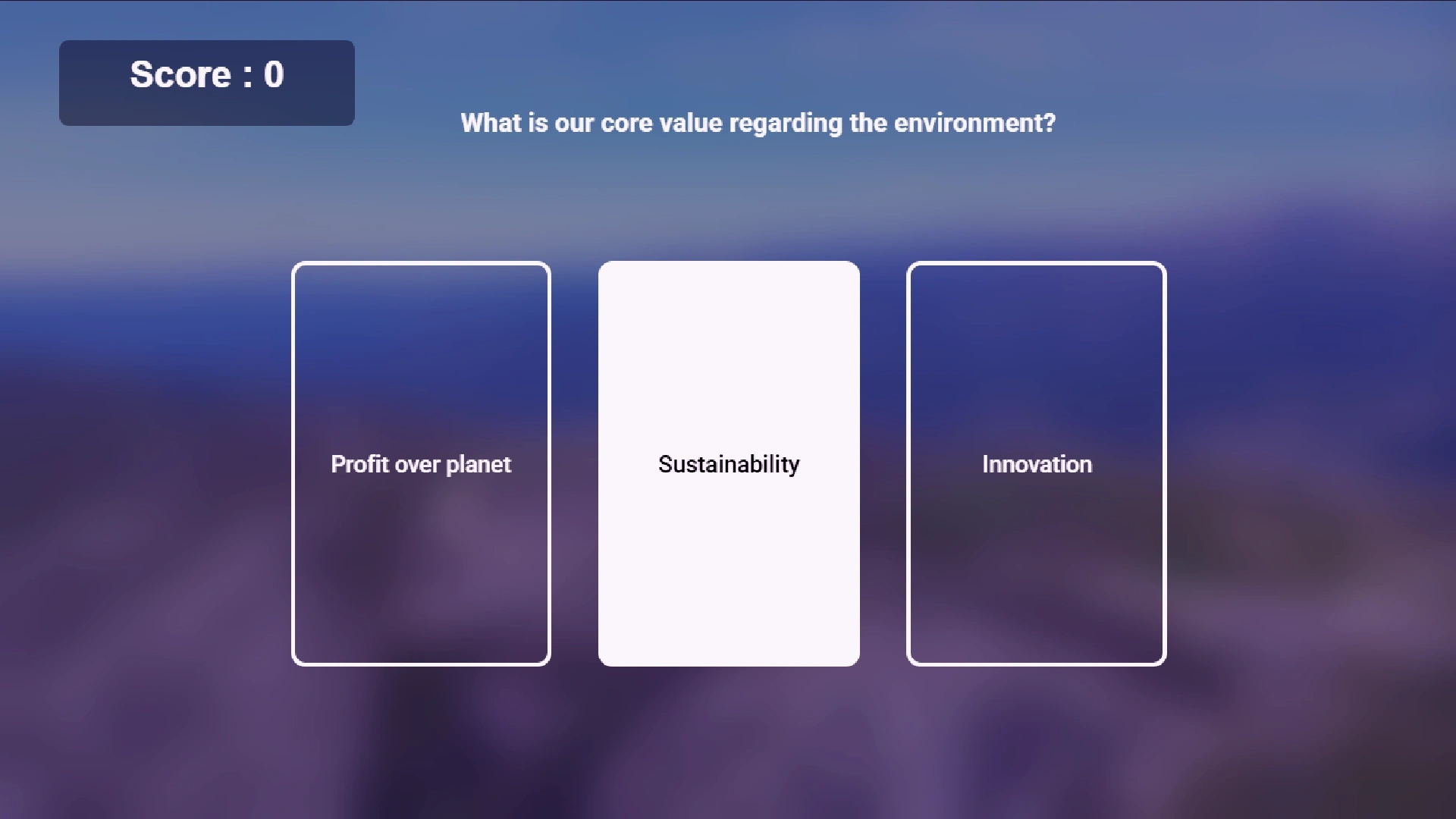
Reinforce knowledge with interactive quizzes that help users build confidence, retain key information and adopt new tools more effectively
Support CRM adoption with video branching that directs sales representatives, customer success teams and managers to role-specific guidance. Each user can explore the workflows and features most relevant to their responsibilities, making it easier to build confidence and encourage consistent platform usage.
Use clickable hotspots and buttons to explain key features within productivity tools, collaboration platforms or project management software. Users can access additional guidance exactly when they need it, helping them discover practical functionality without interrupting the walkthrough.
Reinforce important processes with interactive quizzes that help employees apply what they've learned after watching demonstrations of HR, finance or procurement systems. Quizzes provide a simple way to confirm understanding and build confidence before users begin using the software independently.
See why organisations use Cinema8 to improve digital tool adoption.
During travel restrictions, Cinema8 proved valuable as a tool. Its platform offered straightforward yet complete tools, allowing us to give virtual demonstrations of our solutions in a secure and efficient way.
Jay Yalung
Art Director, Marketing and E-Commerce / Leica Geosystems
Cinema8 software engaged and motivated students with 360-degree videos at the Tate Gallery, featuring past student projects. Staff support was responsive and helpful with training. A valuable tool for educational institutions.
Chi-Ming Tan
Unit Lead Lecturer LCCA / London College of Contemporary Arts
Cinema8 has been instrumental in compiling all of the videos for a research project on employment for the blind or visually impaired, by offering an easy-to-use web-based platform for building Interactive Videos.
Sarah Moody
Communications Coordinator / Mississippi State University
Cinema8 was chosen for its ease of use and ability to create interactive videos through an intuitive interface. The team received great support and reasonable pricing. leading to a renewal of their partnership. Cinema8's support helped them meet project deadlines.
Michel Sohel
Media Consultant / Eastern Michigan University
Starter
$12
per month billed annually
Everything in Free, plus:
- Lead gen forms with CRM/email integration
- 360 degree interactive video support
- Unlimited screen recording
- Customisable video player
- 1TB bandwidth
Recommended
Pro
$24
per month billed annually
Everything in Starter, plus:
- Sticky hotspots for moving objects
- AI chaptering + SEO metadata
- AI-powered speech search
- Video heatmaps + advanced reports
- 2TB bandwidth
Pro Plus
$84
per month billed annually
Everything in Pro, plus:
- FTP upload for video libraries
- Webhook-based event notifications
- Domain restriction
- Priority + dedicated support
- Unlimited seats