
Video hosting for Salesforce
Video hosting for Salesforce helps sales and marketing teams turn video engagement into actionable lead data. Cinema8 lets you host product demos, campaign videos and sales content, add lead-generation forms directly inside your videos, and send captured contact details to Salesforce, connecting video viewing with your existing lead management workflow.
Trusted by leading brands around the world


















Video can generate valuable buying signals before a prospect ever speaks to sales. Cinema8’s video hosting lets teams host product demos, campaign videos and sales content while capturing prospect details through forms placed directly inside the video. Connect those forms to Salesforce and map captured fields to your CRM, helping marketing teams turn interested viewers into identifiable leads and giving sales teams the information they need for timely follow-up.
How to capture video leads in Salesforce with Cinema8
Turn interested video viewers into actionable Salesforce leads by adding lead-generation forms to Cinema8 videos and connecting captured information directly to your CRM workflow.
Host your product demo, campaign or sales video with Cinema8, then add an in-video lead-generation form at the point where viewer interest is strongest.
Connect your lead form to Salesforce and map fields such as name, email, phone number and custom fields to the relevant CRM properties.
Capture prospect information directly from the video and send the submitted data to Salesforce, giving your sales team identifiable leads for faster, more informed follow-up.
Why use Cinema8 for video hosting with Salesforce?
Sales and marketing videos become more valuable when viewer interest can translate directly into an actionable lead. Cinema8 lets teams add lead-generation forms inside product demos, campaign videos and sales content, then connect those forms to Salesforce and map captured information to CRM fields. This creates a direct path from video engagement to lead capture, helping sales teams follow up with prospects who have actively engaged with your content.
How Cinema8 improves video lead generation with Salesforce

Capture prospect details directly inside product demos and sales videos.
Send captured video leads directly to Salesforce for timely follow-up.
Map form responses to relevant Salesforce CRM fields automatically.
Turn product demo viewers into identifiable prospects by placing a lead form at a high-intent moment in the video. Send submitted contact details directly to Salesforce so sales teams can follow up with interested viewers.
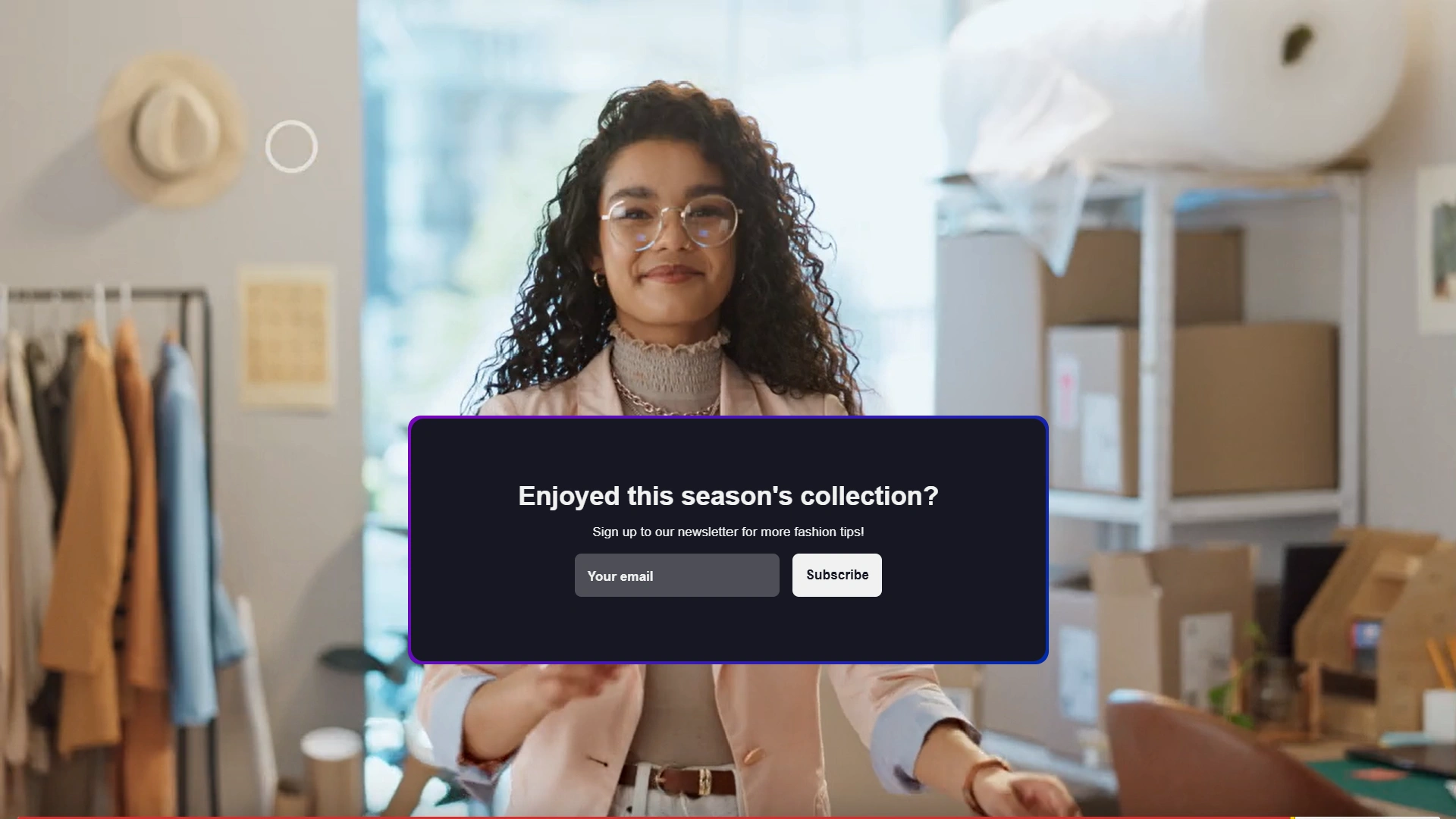
Share professionally hosted product walkthroughs, proposals or explainer videos with prospects after sales conversations, giving buyers useful content they can revisit or share with other decision-makers during the buying process.

Use video analytics to understand how audiences engage with demos, presentations and sales content, including watch time and viewing behaviour, helping teams identify which videos hold attention and improve future content.
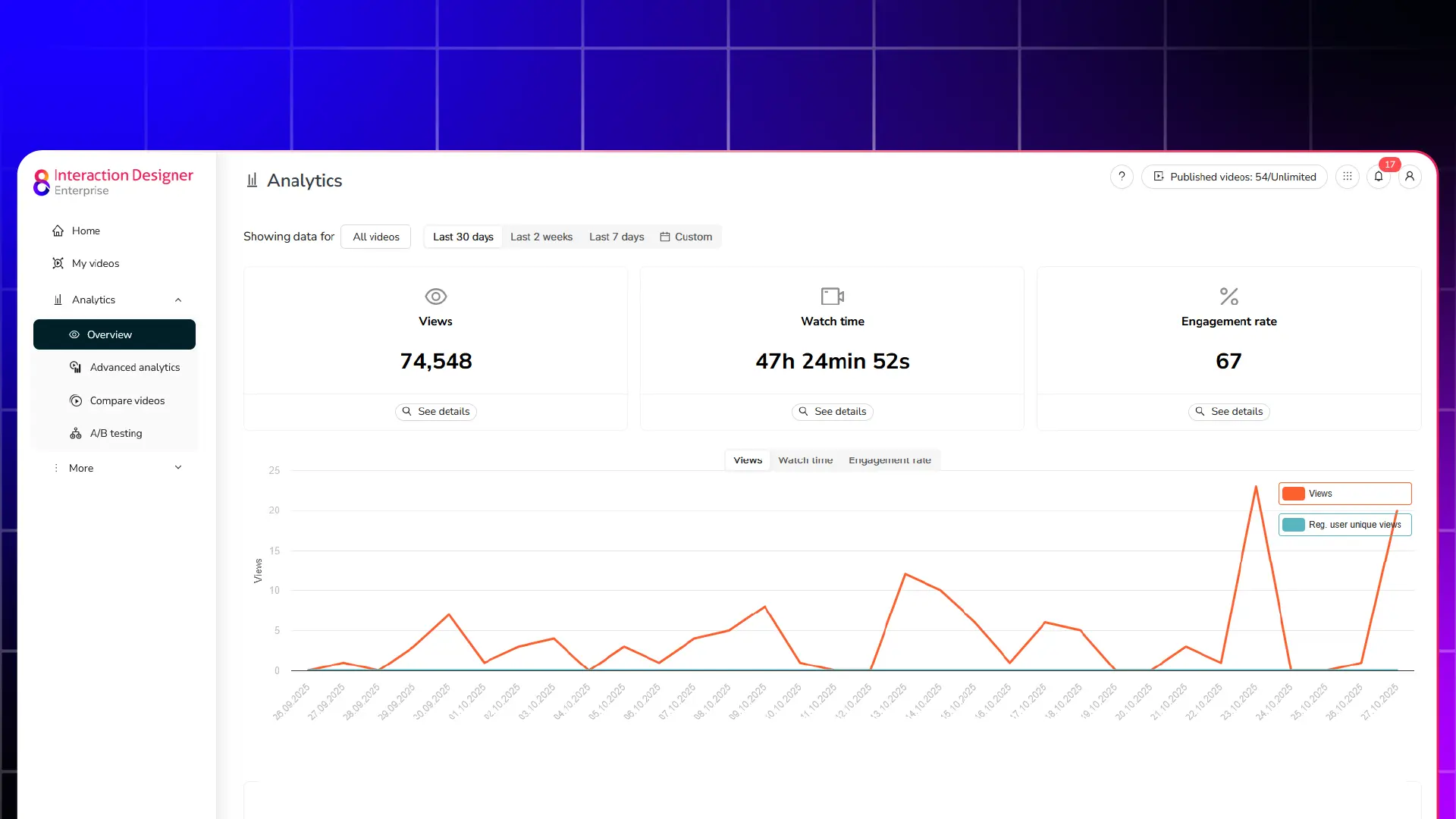
See why sales and marketing teams use Cinema8 to capture leads inside video, connect prospect data with Salesforce, and turn engaged viewers into opportunities for follow-up.
During travel restrictions, Cinema8 proved valuable as a tool. Its platform offered straightforward yet complete tools, allowing us to give virtual demonstrations of our solutions in a secure and efficient way.
Jay Yalung
Art Director, Marketing and E-Commerce / Leica Geosystems
Cinema8 software engaged and motivated students with 360-degree videos at the Tate Gallery, featuring past student projects. Staff support was responsive and helpful with training. A valuable tool for educational institutions.
Chi-Ming Tan
Unit Lead Lecturer LCCA / London College of Contemporary Arts
Cinema8 has been instrumental in compiling all of the videos for a research project on employment for the blind or visually impaired, by offering an easy-to-use web-based platform for building Interactive Videos.
Sarah Moody
Communications Coordinator / Mississippi State University
Cinema8 was chosen for its ease of use and ability to create interactive videos through an intuitive interface. The team received great support and reasonable pricing. leading to a renewal of their partnership. Cinema8's support helped them meet project deadlines.
Michel Sohel
Media Consultant / Eastern Michigan University
Starter
$12
per month billed annually
Everything in Free, plus:
- Lead gen forms with CRM/email integration
- 360 degree interactive video support
- Unlimited screen recording
- Customisable video player
- 1TB bandwidth
Recommended
Pro
$24
per month billed annually
Everything in Starter, plus:
- Sticky hotspots for moving objects
- AI chaptering + SEO metadata
- AI-powered speech search
- Video heatmaps + advanced reports
- 2TB bandwidth
Pro Plus
$84
per month billed annually
Everything in Pro, plus:
- FTP upload for video libraries
- Webhook-based event notifications
- Domain restriction
- Priority + dedicated support
- Unlimited seats