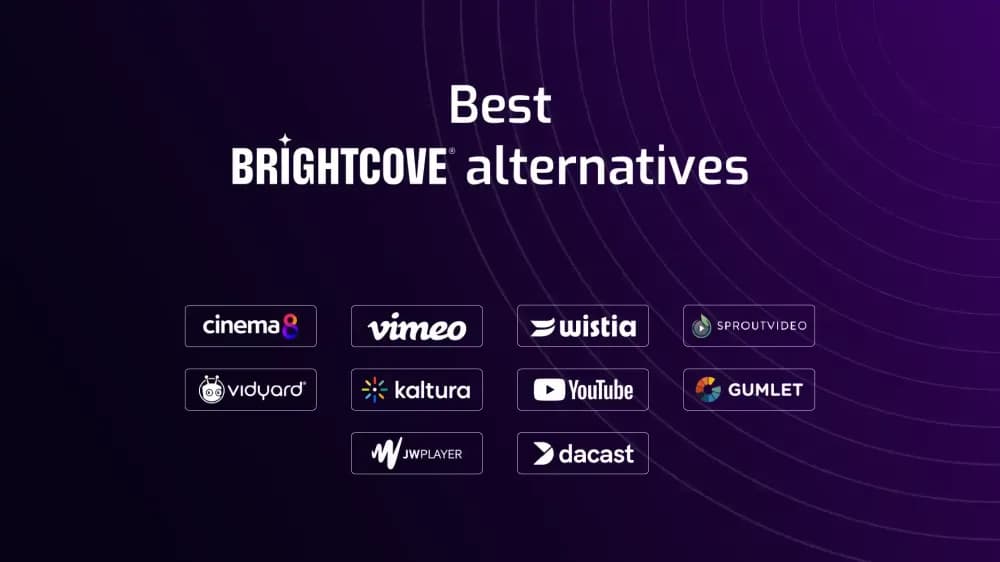
Brightcove is an enterprise video platform built for organisations managing large-scale streaming, global delivery, and complex video infrastructure. While it offers strong performance and security, some teams may find it overly complex or difficult to adapt as video expands into marketing, training, and customer-facing workflows. This guide explores the best Brightcove alternatives for 2026, focusing on platforms that balance scalability with usability, analytics, and business-ready video features.
What is Brightcove?
Brightcove is an enterprise video platform designed for organisations delivering video at scale across global audiences. It supports live streaming, video-on-demand, OTT services, and secure distribution through a robust infrastructure built for performance, compliance, and reliability.
It is commonly used by broadcasters, media companies, and large enterprises that manage extensive video libraries or require consistent delivery across regions and devices. Brightcove also includes analytics, monetisation tools, and integrations that allow video to be embedded into wider digital ecosystems.
Brightcove is built to support large-scale video operations, making it well suited to organisations with dedicated teams managing complex distribution, but less aligned with businesses that need simpler setup, faster deployment, or tools that multiple departments can use independently.
Why teams look for Brightcove alternatives
Teams typically explore Brightcove alternatives when their video strategy shifts from infrastructure management to broader business use. While Brightcove offers strong performance, security, and scalability, it is often designed around complex implementations that require ongoing configuration and technical oversight.
For organisations using video across marketing, onboarding, training, or customer communication, this level of complexity can slow down workflows or make it harder to adapt content quickly. Teams may also look for platforms that provide clearer analytics, more accessible interfaces, or built-in tools for engagement and conversion.
Cost and flexibility are also common considerations. Enterprise pricing models, combined with feature-heavy setups, can make it difficult for teams to scale video usage efficiently across different departments. As a result, many organisations compare alternatives that balance performance with usability, allowing video to support both operational needs and measurable business outcomes.
Top 10 alternatives to Brightcove
The table below outlines the key platforms compared with Brightcove, focusing on how they differ in pricing, capabilities, and the types of organisations and/or teams they are designed to support.
| Platform | Starting Price | Key Features | Best For | Pros | Cons |
|---|---|---|---|---|---|
| Cinema8 | Free | Secure video hosting, interactive video, advanced analytics, A/B testing | Organisations using video across marketing, training, and customer journeys | Combines reliable hosting, analytics, and interactivity in one platform | Advanced features may require onboarding |
| Vimeo | Free | High-quality playback, privacy controls, team collaboration tools | Teams prioritising presentation, brand control, and client sharing | Polished player and strong privacy features | Limited depth for advanced workflows |
| SproutVideo | $10/month | Secure hosting, access controls, customisable video players | Organisations managing restricted or private video content | Strong security and access management tools | Limited support for interactive features and broader video workflows |
| Wistia | Free | Branded players, lead capture, marketing analytics | Marketing teams focused on campaign performance and reporting | Clear engagement insights and branding control | Pricing scales with video usage |
| Vidyard | $59/month for hosting | Video messaging, CRM integrations, viewer tracking | Sales and customer-facing teams using personalised video | Strong integrations with revenue tools | Full hosting requires higher-tier plans |
| Gumlet | Free | Adaptive streaming, branded playback, developer-friendly integrations | Teams embedding video across websites and digital products | Flexible implementation and reliable delivery | Fewer advanced workflow and experimentation tools |
| Dacast | $39/month | Live streaming, VOD hosting, monetisation features | Businesses delivering live and on-demand video at scale | Supports monetisation and live video use cases | Requires more setup and is less intuitive for non-technical teams |
| JWX | Custom pricing | Streaming infrastructure, monetisation, analytics | Publishers and media platforms delivering high-volume video | Strong performance and monetisation tools | Less suited to marketing or training use cases |
| Kaltura | Custom pricing | Enterprise video platform, LMS integrations, virtual classrooms | Large organisations and education providers | Highly configurable and integration-heavy | Complex setup and ongoing management |
| YouTube | Free | Public hosting, global distribution, search discovery | Organisations focused on reach and audience growth | Massive audience and discoverability | Limited control over branding and privacy |
1. Cinema8
Overview
Cinema8 is a video hosting platform that combines secure delivery with analytics and built-in engagement tools. It gives teams clearer visibility into how videos perform and what viewers do, making it easier to manage video performance within a single platform.
Cinema8 vs Brightcove: Feature and pricing comparison
- Features: Cinema8 combines secure video hosting with advanced analytics and built-in engagement tools such as forms, CTAs, and quizzes. Compared with Brightcove, it places more emphasis on viewer interaction, performance tracking, and workflows that support marketing, training, and customer-facing video use.
- Pricing: Cinema8 offers a free tier with scalable pricing for growing teams and enterprise use. Unlike Brightcove’s custom enterprise pricing, it provides clearer entry points for organisations expanding video usage without complex contracts or infrastructure commitments.
Pros, cons, and use cases
- Pros: Combines video hosting, analytics, and engagement tools in one platform.
- Cons: Advanced features may require onboarding for full adoption.
- Use cases: Good for organisations using video across marketing, onboarding, training, and customer education where tracking engagement, capturing leads, and understanding performance are as important as reliable hosting
2. Vimeo
Overview
Vimeo is a video hosting platform focused on controlled sharing and visual presentation. It is often used by teams that need reliable playback and a clean viewing experience without the complexity of enterprise video infrastructure.
Vimeo vs Brightcove: Feature and pricing comparison
- Features: Vimeo offers player customisation, privacy settings, and review tools for managing video feedback. Compared with Brightcove, it is easier to manage day-to-day but some may find it less suited to large-scale distribution or complex delivery requirements.
- Pricing: Vimeo includes a free plan, with paid tiers based on storage limits and team features. Pricing is more structured and accessible than enterprise platforms that rely on custom contracts.
Pros, cons, and use cases
Pros: Clean player, strong control over video access and sharing.
Cons: Less suited to large-scale delivery or advanced video operations.
Use cases: Suitable for controlled sharing, client review, and branded video presentation.
3. SproutVideo
Overview
SproutVideo is a video hosting platform centred on access control and secure distribution. It is typically used where videos need to be shared with specific audiences rather than made publicly available.
SproutVideo vs Brightcove: Feature and pricing comparison
- Features: SproutVideo includes password protection, domain restrictions, and access controls, alongside analytics for tracking viewer behaviour. It focuses on keeping video content restricted and controlled rather than supporting large-scale delivery workflows.
- Pricing: SproutVideo's pricing starts at $10 per month, with higher tiers offering expanded storage, analytics, and security features for organisations managing larger or more sensitive video libraries.
Pros, cons, and use cases
- Pros: Strong access control and secure video delivery.
- Cons: Limited support for broader workflows or advanced video features.
- Use cases: Suited to private content, internal video libraries, and restricted sharing environments.
4. Wistia
Overview
Wistia is a video hosting platform built around marketing use cases, helping teams manage video content with a focus on branding, performance tracking, and audience insights as opposed to large-scale streaming infrastructure.
Wistia vs Brightcove: Feature and pricing comparison
- Features: Wistia provides branded players, viewer analytics, and lead capture tools designed for campaign tracking. Compared with Brightcove, it is more focused on marketing performance than large-scale delivery or enterprise infrastructure.
- Pricing: Wistia offers a free plan with limited hosting, with paid tiers increasing based on video volume and features, making pricing more predictable than custom enterprise contracts.
Pros, cons, and use cases
- Pros: Good marketing analytics and branding tools for video campaigns.
- Cons: Strong marketing analytics and branding tools for video campaigns.
- Use cases: Best for marketing teams using video to support campaigns, track engagement, and capture leads.
5. Vidyard
Overview
Vidyard is a video platform centred on communication and personalised video, commonly used by sales and customer-facing teams to share demos, updates, and one-to-one video messages.
Vidyard vs Brightcove: Feature and pricing comparison
Features: Vidyard includes screen recording, personalised video messaging, viewer tracking, and CRM integrations. It supports sales and customer communication workflows, with less emphasis on managing large video libraries or distribution at scale.
Pricing: Vidyard offers free tools for recording and messaging, while full hosting and advanced features are available on paid plans starting around $59 per month.
Pros, cons, and use cases
- Pros: Strong CRM integrations and personalised video for sales workflows.
- Cons: Hosting capabilities require higher-tier plans for full functionality.
- Use cases: Ideal for sales outreach, customer communication, and personalised demos where tracking viewer engagement supports follow-up.
6. Gumlet
Overview
Gumlet is a video hosting platform focused on efficient delivery and flexible embedding. It is commonly used by teams that need reliable playback and control over how video is integrated into websites and applications.
Gumlet vs Brightcove: Feature and pricing comparison
- Features: Gumlet provides adaptive streaming, branded players, analytics, and engagement tools such as CTAs and lead capture forms. It supports embedding video across websites and applications with a focus on performance and delivery efficiency.
- Pricing: Gumlet offers a free plan, with paid tiers based on bandwidth and usage. Pricing is usage-based.
Pros, cons, and use cases
- Pros: Reliable playback and flexible integration across websites and platforms.
- Cons: Fewer advanced workflow and experimentation features.
- Use cases: Suitable for hosting and embedding video across websites, product pages, and documentation.
7. Dacast
Overview
Dacast is a video hosting platform designed for organisations delivering live and on-demand video. It is often used for streaming events, webinars, and subscription-based video content.
Dacast vs Brightcove: Feature and pricing comparison
- Features: Dacast supports live streaming, video-on-demand hosting, monetisation tools, and API access. It enables organisations to manage video delivery and access control across websites and digital platforms.
- Pricing: Dacast offers tiered plans starting from around $39 per month, with pricing based on bandwidth and features. Custom plans are also available for larger streaming and enterprise requirements.
Pros, cons, and use cases
- Pros: Good support for live streaming and monetised video delivery.
- Cons: Requires more setup and is less intuitive for non-technical teams.
- Use cases: Best for live events, webinars, and subscription-based video platforms.
8. JWX
Overview
JWX (previously JW Player) is a video platform focused on streaming and monetisation, primarily used by publishers and media companies managing large volumes of video content across digital platforms.
JWX vs Brightcove: Feature and pricing comparison
- Features: JWX provides adaptive streaming, monetisation tools, analytics, and customisable video players. It is built to support high-volume delivery and advertising-based video strategies across websites and apps.
- Pricing: JWX uses custom pricing based on usage, delivery volume, and monetisation needs, typically requiring a sales process for access to full platform capabilities.
Pros, cons, and use cases
- Pros: Reliable performance, monetisation tools, and scalable video delivery.
- Cons: Less suited to marketing, training, or internal video workflows.
- Use cases: Best for publishers and media platforms delivering high-volume or ad-supported video content.
9. Kaltura
Overview
Kaltura is an enterprise video platform used by large organisations and education providers to manage video across learning environments, internal communications, and complex digital ecosystems.
Kaltura vs Brightcove: Feature and pricing comparison
- Features: Kaltura includes video hosting, virtual classrooms, LMS integrations, and extensive customisation options. It supports organisations that need to embed video into broader systems and workflows.
- Pricing: Kaltura uses custom pricing based on deployment size, integrations, and feature requirements, typically requiring a tailored setup for each organisation.
Pros, cons, and use cases
- Pros: Highly customisable with strong integrations across enterprise systems.
- Cons: Complex setup and requires ongoing management and technical resources.
- Use cases: Ideal for education platforms, enterprise training, and large-scale internal video systems.
10. YouTube
Overview
YouTube is a public video hosting platform used for distributing video content to large audiences. It is widely used by organisations focused on reach, discoverability, and audience growth.
YouTube vs Brightcove: Feature and pricing comparison
Features: YouTube offers free video hosting, built-in discovery through search and recommendations, audience analytics, and monetisation options for eligible channels.
Pricing: YouTube is free to use for hosting and distribution, with revenue generated through advertising and partner programmes.
Pros, cons, and use cases
- Pros: Massive reach, strong discoverability, and no hosting costs.
- Cons: Massive reach, strong discoverability, and no hosting costs.
- Use cases: Best for awareness, education, and public-facing video distribution.
Which is the best Brightcove alternative?
Choosing the best Brightcove alternative depends on how your organisation uses video and how much complexity you actually need. Brightcove is built for large-scale delivery and infrastructure, but many teams look for platforms that are easier to manage, more flexible, or better aligned with specific workflows.
- Best overall Brightcove alternative for growing teams: Cinema8 supports organisations using video across a wide variety of use cases, combining secure hosting, interactive tools, advanced analytics, and integrations in one platform.
- Best for presentation and controlled sharing: Vimeo suits teams that prioritise clean playback, brand control, and managed video distribution.
- Best for secure and restricted hosting: SproutVideo is ideal for organisations that need strong access controls and private video environments.
- Best for marketing workflows: Wistia works well for teams focused on campaign performance, engagement tracking, and branded video experiences.
- Best for sales and customer communication: Vidyard supports personalised video outreach, demos, and CRM-integrated workflows.
- Best for flexible video delivery: Gumlet is suitable for teams embedding video across websites and applications with a focus on performance.
- Best for live streaming and monetisation: Dacast fits organisations delivering live events, webinars, and subscription-based video content.
- Best for publishers and media platforms: JWX supports high-volume video delivery and monetisation strategies.
- Best for enterprise training and education: Kaltura is suited to organisations requiring deep integrations and structured video learning environments.
Final thoughts about choosing a Brightcove alternative
Brightcove remains a good option for organisations that require large-scale video delivery, global infrastructure, and advanced streaming capabilities. However, not every team needs that level of complexity or investment. As video becomes more embedded in a variety of business areas, many organisations look for platforms that are easier to manage, more flexible, and better aligned with everyday workflows. Cinema8 supports this broader use of video with secure hosting, analytics, and built-in engagement tools in one platform and is a good alternative to platforms like Vidyard and Vimeo too. Vimeo focuses on presentation, SproutVideo on access control, Wistia on marketing performance, Vidyard on communication, Gumlet on delivery, Dacast on live streaming, JWX on monetisation, and Kaltura on enterprise learning environments. The right choice depends on how video is used within your organisation.