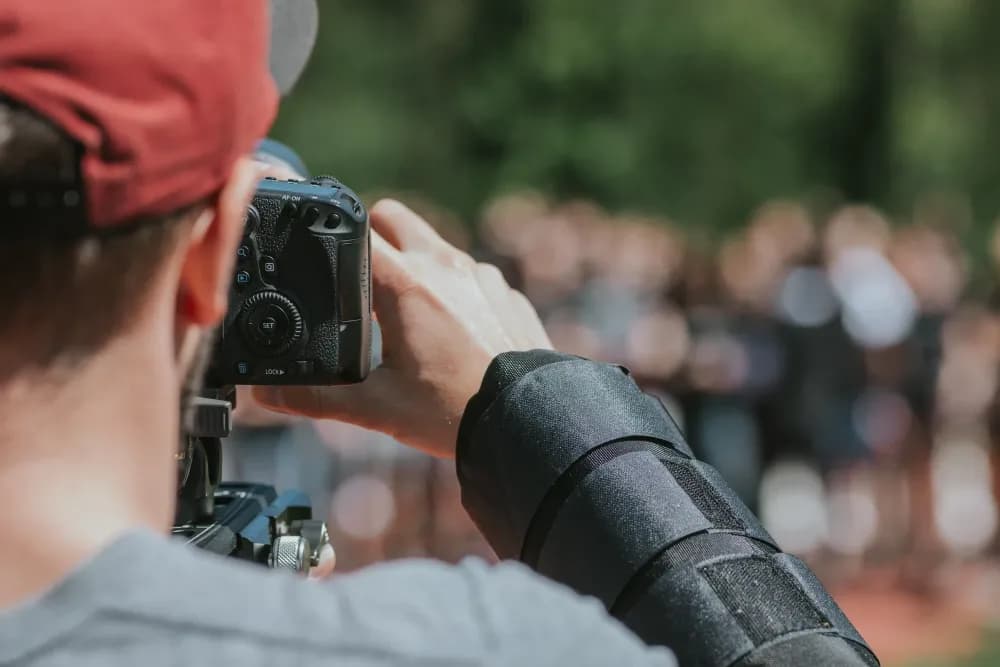
Camera angles and shot types define how a video looks and feels to the viewer. Each one shapes how information is presented, where attention is directed, and how audiences interpret what they see. In business video production, choosing the right shots can make product demonstrations clearer, training materials easier to follow, and interviews more engaging. In this guide, we explore the different types of camera shots and how to use them effectively in professional video content.
What is a camera shot?
A camera shot refers to how much of a scene or subject is visible in a single frame. The choice of shot helps direct the viewer’s attention, communicate information, and establish the desired tone. In business video production, different shots and angles can be used to highlight product features, demonstrate processes, and make presentations more engaging.
In business video production, coverage refers to the collection of shots recorded to provide different perspectives during editing. For example, a customer interview might include a wide shot to establish the setting, medium shots of the speakers, and close-ups to capture expressions. Combining these perspectives provides flexibility during editing and helps marketing teams create a natural, continuous viewing experience.
Frame rate also plays an important role in how a shot looks and feels. Choosing the right FPS affects motion smoothness and overall video quality. Lighting, lens choice, and exposure further influence the appearance of each shot. Factors such as aperture, ISO sensitivity, and shutter speed affect brightness and motion blur, while composition determines where the viewer’s attention is directed.
Once recording and editing are complete, businesses need a reliable way to manage and distribute their videos. Cinema8 is a secure video hosting platform for businesses. Teams can upload and share product demonstrations, training materials, and interviews with ad-free playback, viewer analytics, and content protection.
Types of camera shots for businesses explained
Camera shots are essential to effective visual communication. Each type serves a different purpose, influencing how viewers perceive subjects, understand information, and interpret what they see. From close-ups that highlight product details to wide shots that establish the setting, choosing the right camera angle can make business videos clearer and more engaging. Below are ten commonly used camera shot types and how they can be applied in different video productions.
1. Overhead Shot
An overhead shot positions the camera directly above the subject, creating a steep top-down perspective. This angle can emphasise the layout of a space, reveal relationships between objects, or provide a distinctive view of an activity.
In business videos, this shot can be useful for showing a production process, demonstrating how equipment is arranged, or capturing an overhead view of a workspace.
2. Low angle shot
A low angle shot places the camera below the subject’s eyeline, pointing upward. This perspective can make a person or object appear larger, more authoritative, or more prominent within the frame.
In business videos, low angle shots can emphasise the scale of machinery, showcase a building, or give a presenter a stronger visual presence.
3. Close-up shot
A close-up fills the frame with a face or object, focusing the viewer’s attention on specific details or expressions. By removing background distractions, it makes important visual information easier to recognise.
Close-ups are particularly useful in product demonstrations, customer testimonials, and instructional videos where viewers need to see facial expressions, product features, or small actions clearly.
4. Wide shot and extreme wide shot
A wide shot (WS) shows the full subject within its environment, while an extreme wide shot (EWS) captures an even larger area to emphasise scale and surroundings. These shots often function as establishing shots, helping viewers understand where an activity takes place.
In business videos, wide shots can introduce an office, factory, training environment, or event venue. They are useful for establishing context before moving into more detailed demonstrations or explanations.
5. Master shot or full shot
A master shot captures an entire scene or activity continuously, showing the participants and their positions within the setting. A full shot frames a person from head to toe, keeping their movements and body language visible.
These shots are useful for recording training demonstrations, group discussions, or presentations where viewers need to understand how people interact or how an activity unfolds.
6. First-person shot
A first-person shot shows a scene from the perspective of the person performing an action, positioning the camera to represent what they see. This creates an immersive experience and helps viewers understand tasks from a participant's viewpoint. It can be filmed using handheld, chest-mounted, or head-mounted cameras.
First-person shots are particularly useful for employee training, equipment demonstrations, and instructional videos that show viewers how to complete a task step by step.
7. High angle shot
A high angle shot positions the camera above the subject, tilting downward to capture the scene from an elevated viewpoint. This perspective can make subjects appear smaller while providing a clearer view of their surroundings. Camera height, lens choice, and composition all influence how much detail remains visible.
In business videos, high angle shots can show workstations, demonstrate procedures, or provide a clearer view of products and equipment. They are particularly useful when viewers need to understand the positioning of objects or the steps involved in a task.
8. Pan, dolly, and tracking shots
Camera movement helps guide the viewer's attention and reveal information progressively. A pan shot rotates horizontally from a fixed point, a dolly shot moves the camera closer to or farther from the subject, and a tracking shot follows movement through space.
These techniques are useful for product demonstrations, facility tours, and process walkthroughs. For example, a tracking shot can follow an employee through a production line, while a slow pan can introduce the layout of a workspace.
9. Medium shot
A medium shot frames the subject from the waist up, maintaining a balance between facial expressions, body language, and surrounding context. It is one of the most versatile shot types, particularly for interviews, presentations, and instructional videos.
Medium shots work well when a presenter needs to speak directly to the camera or demonstrate something while remaining visible. They allow viewers to follow gestures and expressions without losing sight of the surrounding environment.
10. Detail or insert shot
A detail shot, sometimes called an insert shot, isolates a specific object or action to draw attention to important information. This might include a hand operating a control, a close view of a product component, or a particular step in a demonstration.
Detail shots are especially useful in training videos, product tutorials, and technical demonstrations where viewers need to see small movements or features clearly.
Why camera angles and shot types matter
Every camera shot and angle influences how viewers interpret a video. A low angle can communicate authority, a high angle can provide a different perspective, a close-up highlights important details, and a wide shot establishes context. Combining these techniques helps video teams direct attention, communicate ideas, and maintain audience engagement.
Understanding different camera shots helps businesses communicate more effectively through video. It also supports collaboration between presenters, editors, and production teams, ensuring that each shot serves a clear purpose. Whether creating a product demonstration, employee training video, or customer interview, choosing the right camera angles helps make content more professional, informative, and engaging.
Using camera shots in product demos, training and interviews
Different camera shots can make business videos more effective by helping viewers focus on the information that is most important. Product demonstrations can use close-ups to highlight specific features, while training videos benefit from detail shots that show each step of a process. Interviews often combine medium and wide shots to capture expressions while maintaining a sense of context.
Cinema8 is a secure video hosting platform for businesses. Once your videos are ready, you can upload, manage, and share them with ad-free, reliable playback. Viewer analytics also help teams understand how audiences engage with product demonstrations, training materials, and interviews.
The platform also includes AI-powered editing support, collaboration tools, and heat-map analytics to help you understand how audiences engage with your content. Whether you are publishing tutorials, marketing campaigns, or full-length productions, Cinema8 gives you the flexibility to manage, share, and analyse every frame from one intuitive workspace.
Explore how Cinema8's secure video hosting platform helps businesses manage, share, and measure their video content.